Project Sidewalk
Re-designing the validation flow for project sidewalk
As the lead designer on Project Sidewalk, I implemented a redesigned validation flow that improved efficiency and delivered the high-quality data stakeholders required from the validation flow.
Client
Makeability Lab
Team
1 Designer,
2 Developers
Tools
Figma, Illustrator
After effects
Duration
2 months
(Feb - April '24)
Product
Web Application
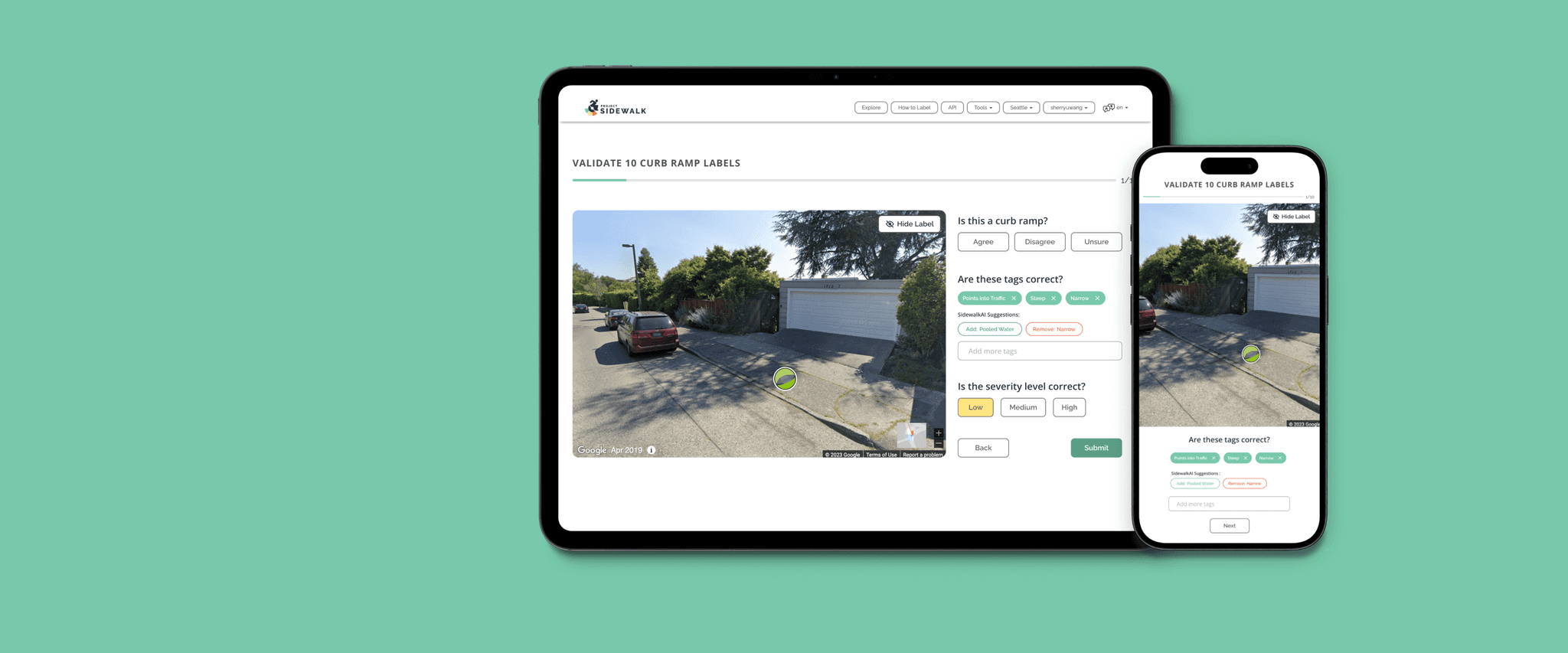
What's Project Sidewalk?
Project Sidewalk is a project started by Makeability Lab which aims to revolutionize accessibility data collection and visualization. They combine crowdsourcing, computer vision, and online maps to gather detailed information about sidewalk accessibility.
Some numbers for context
Problem
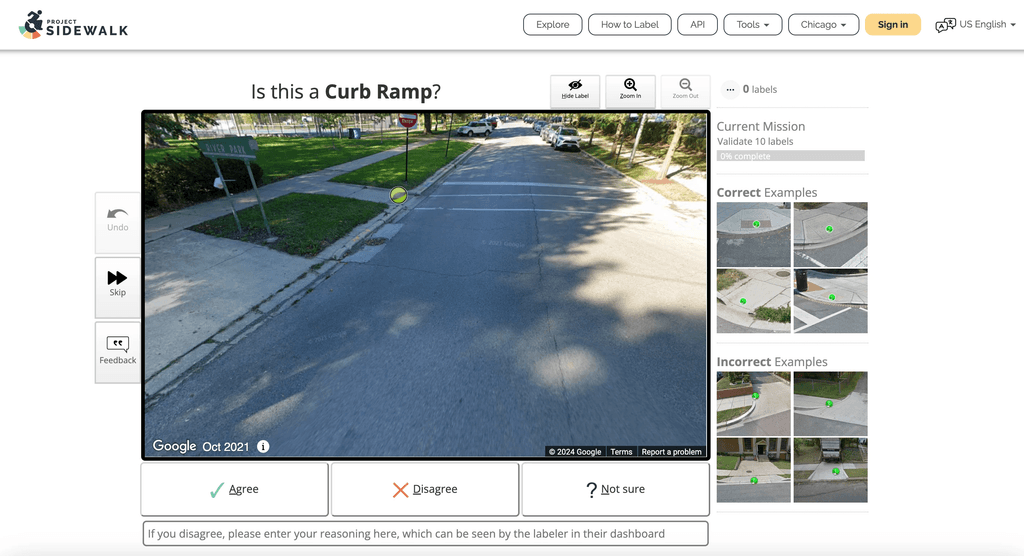
The project platform consists of an explore and a validation flow. The current validation process lacks granularity in assessing the three components of sidewalk tags: label correctness, severity accuracy, and tag correctness.
Solution
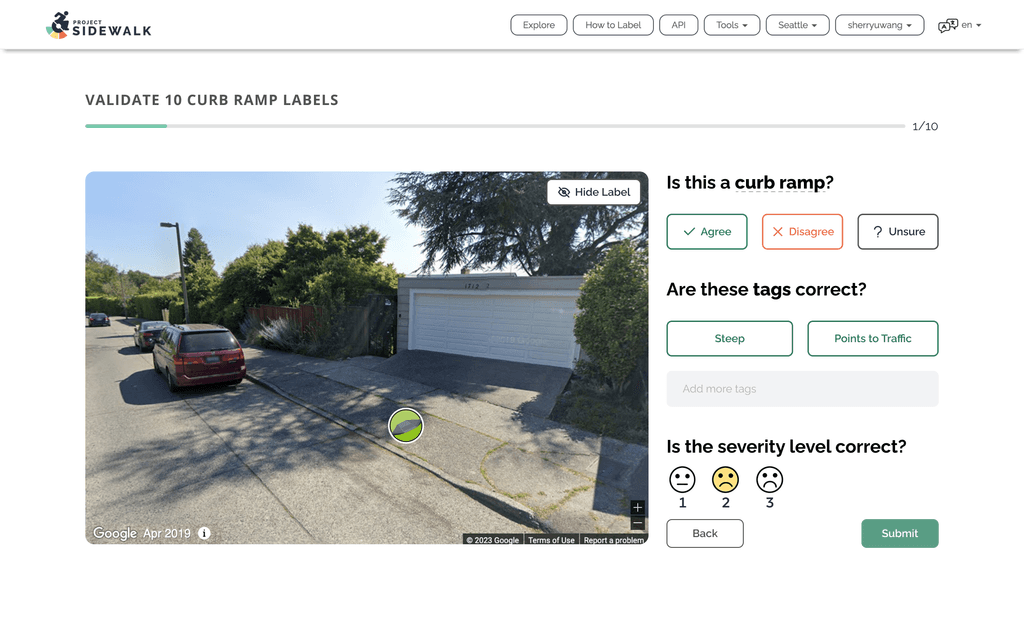
The new validation flow entails a step-by-step approach that systematically guides users through validating each part of the tag, minimizing ambiguity, and ensuring a thorough assessment.
Validation Features —
Research
To ensure alignment with strategic goals, I conducted a thorough analysis of stakeholder needs and expectations before commencing the design process
Key Metrics
What I learned?
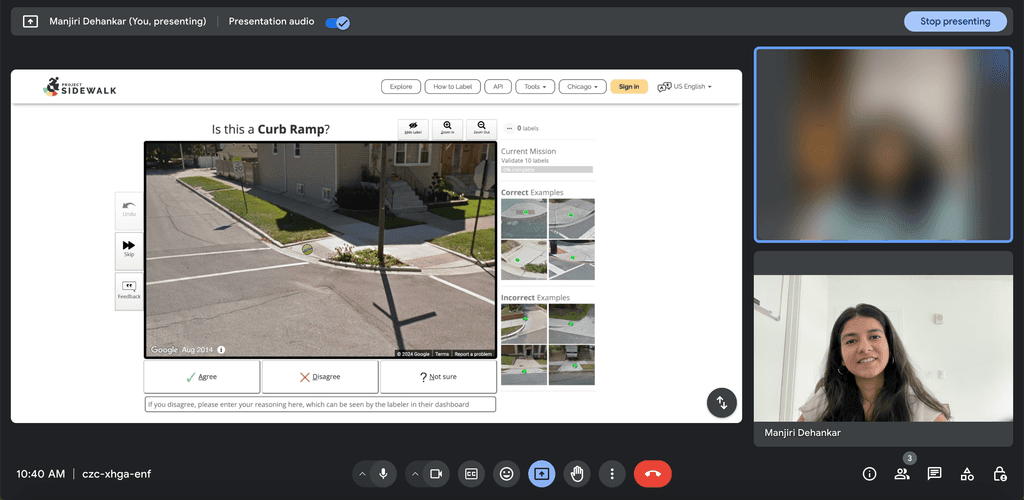
I decided to conduct 12 moderated user testing to get an idea of the pain points and to know exactly what the user was thinking and doing while validating. I looked at the charts and graphs, documents and data gathered previously.
Major Issues
Confusion in validation
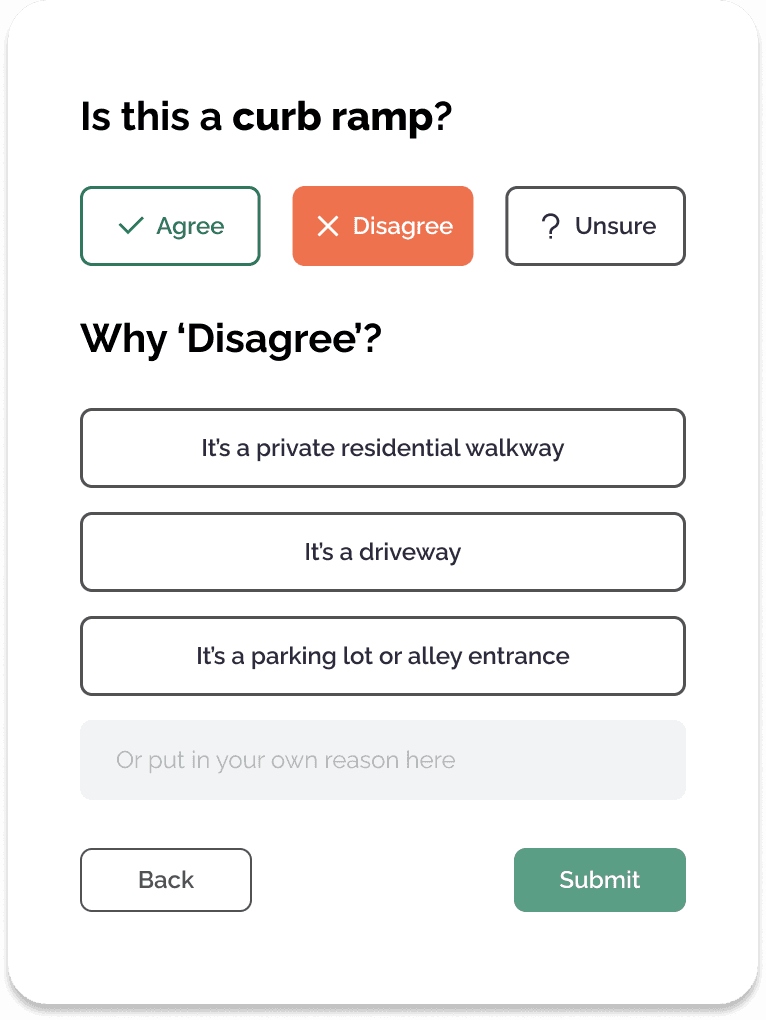
Users often struggled to determine the correct course of action when the label and severity were accurate but the tags were incorrect
Lack of affordance
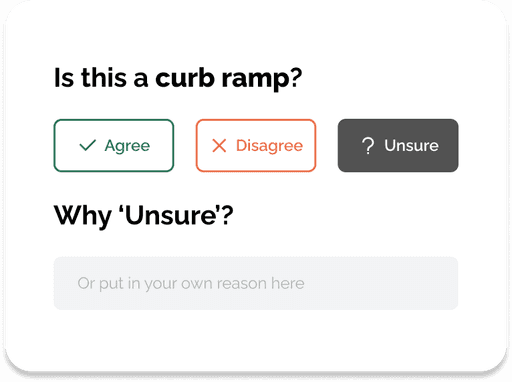
Users were unaware of the option to add comments explaining disagreements until they had completed several validations
Correction capabilities
The validation flow did not provide clear mechanisms for users to rectify errors they discovered
Wireframing
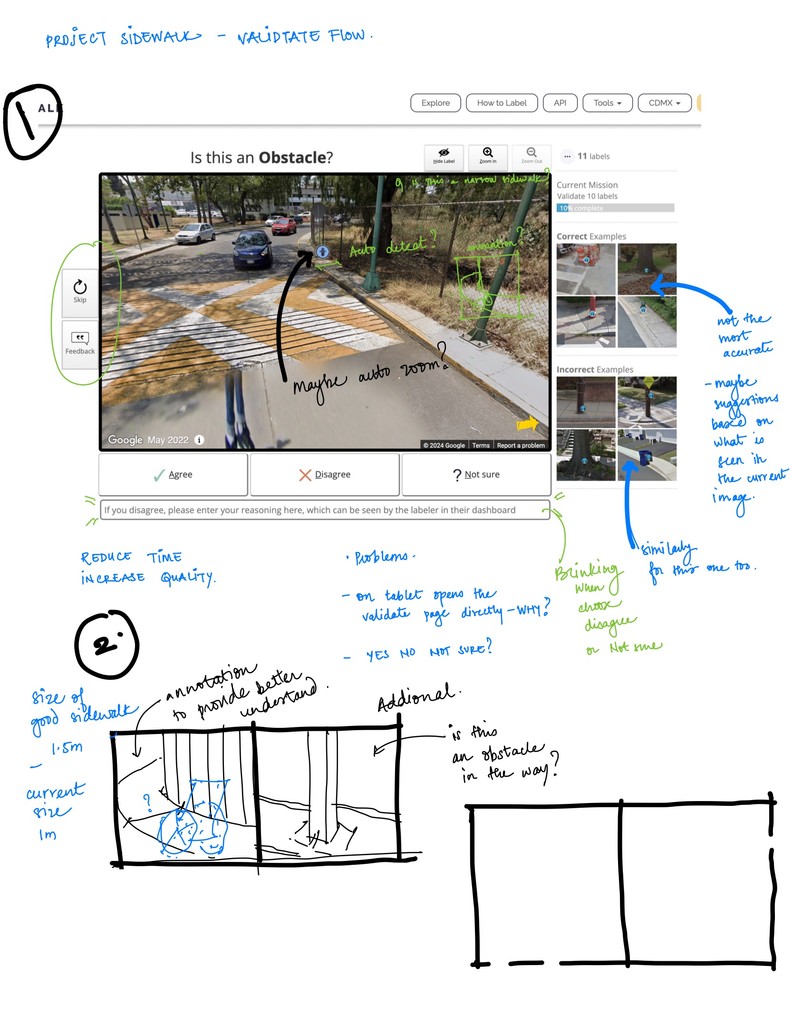
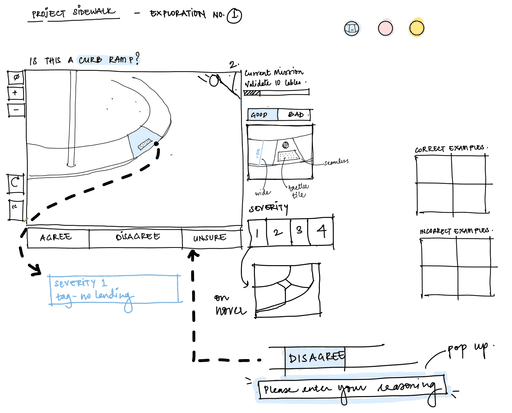
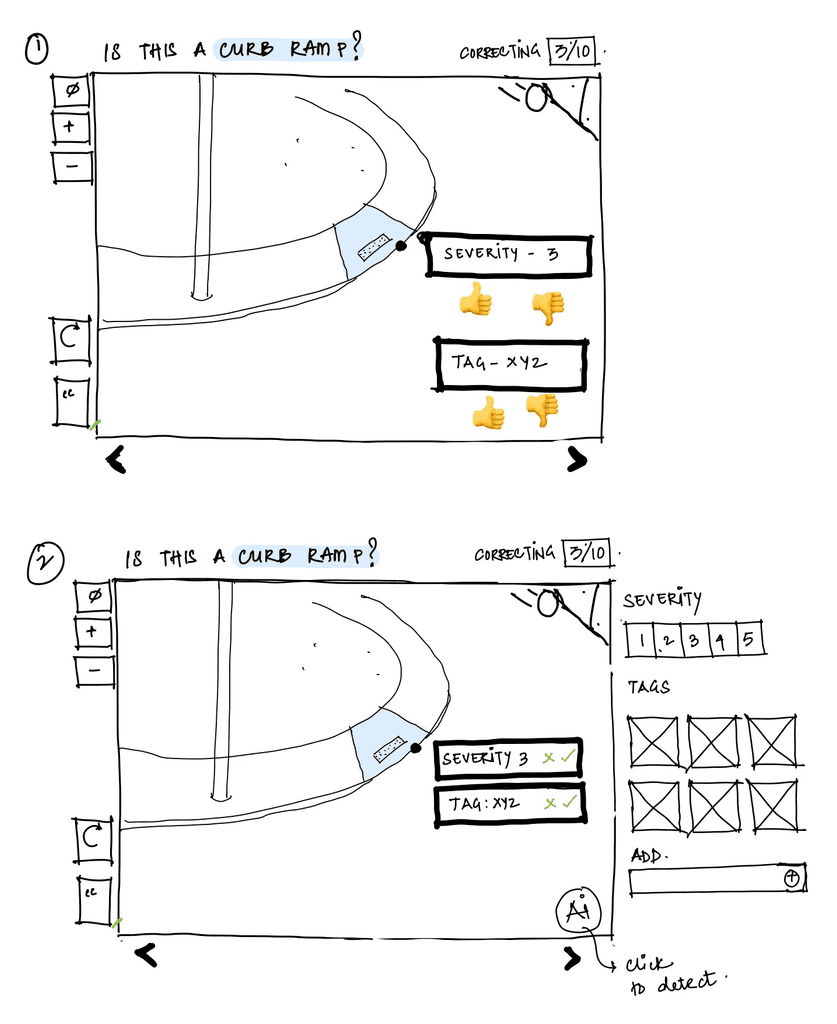
Engaging in paper wireframes helped me imagine various scenarios and also helped me make multiple iterations based on the project's needs.
Wireframing facilitated early feedback and design refinement, ensuring a more robust and effective final product
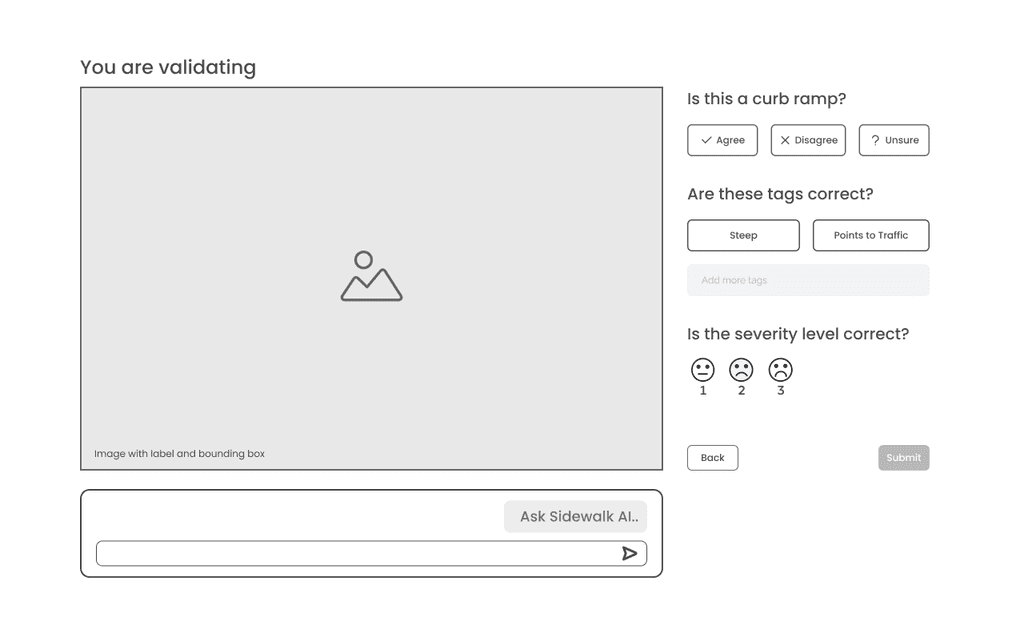
Low Fidelity Wireframes
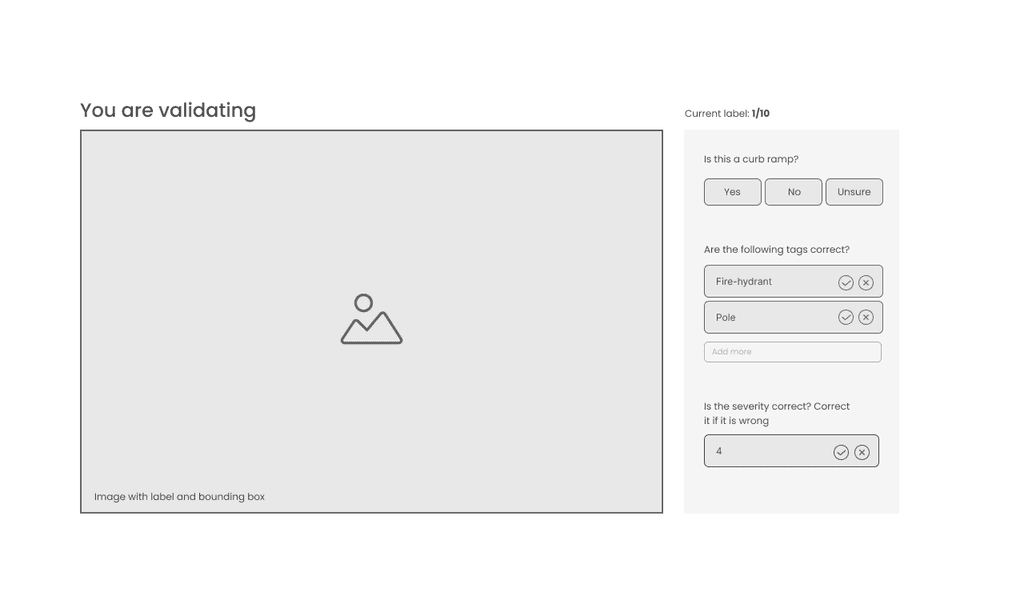
To ensure a seamless transition from paper wireframes to high-fidelity designs, I incorporated an additional step to create low-fidelity prototypes.
This allowed for early testing and validation of the design concepts, to avoid investing more time in the later stages of development
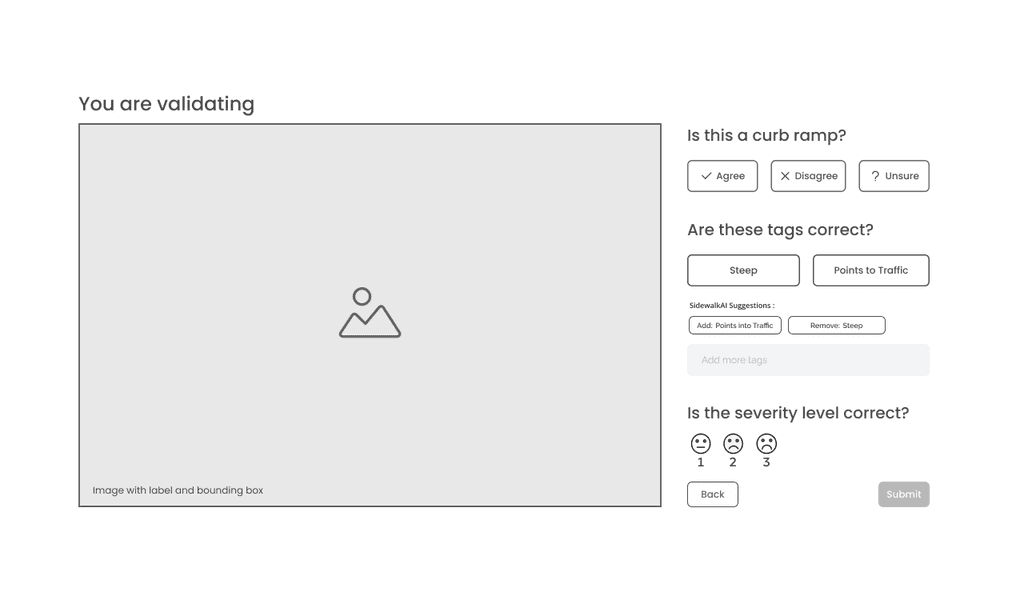
Introducing AI
The new validation required for the user to spend longer on each screen increasing the overall task completion time
We recognized this an opportunity to incorporate AI to provide users with additional support and guidance in validating
High Fidelity
Wireframes
Iteration
Despite adhering to the design system, internal testing revealed that stakeholders felt the designs did not translate effectively from paper wireframes to high-fidelity prototypes
To address the shortcomings of the existing design system, I implemented new components tailored to the specific needs of the new design along with the change in the script
Final Design
The final design was carefully crafted to address user needs and fulfill project goals
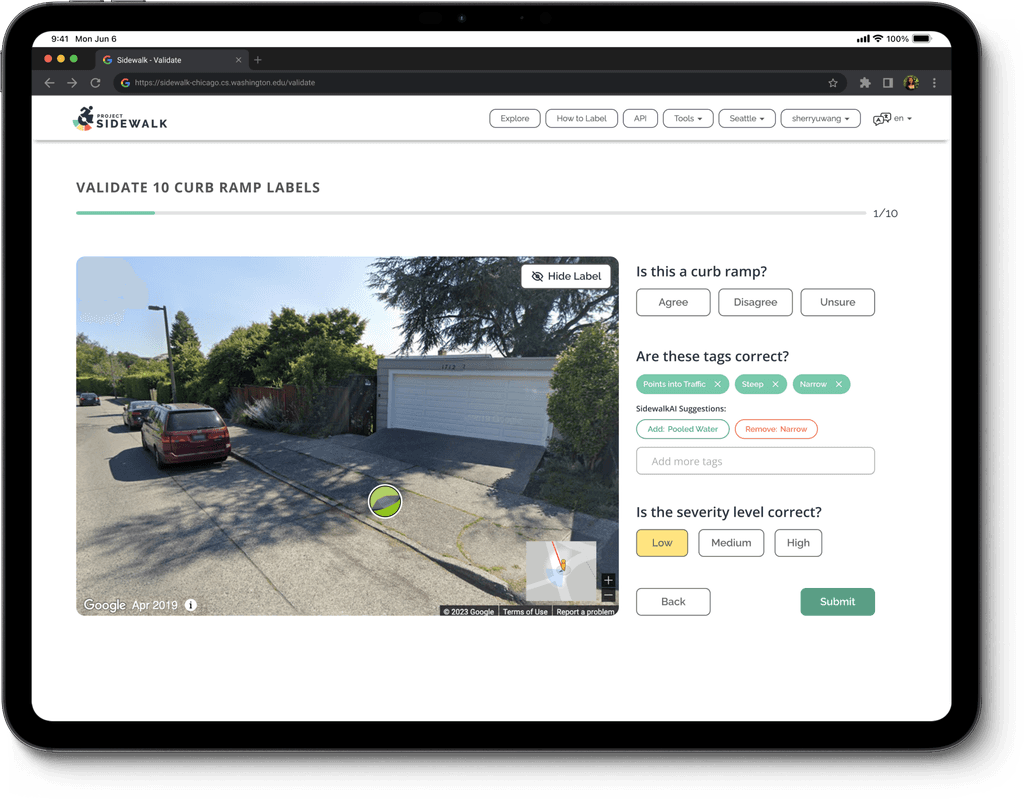
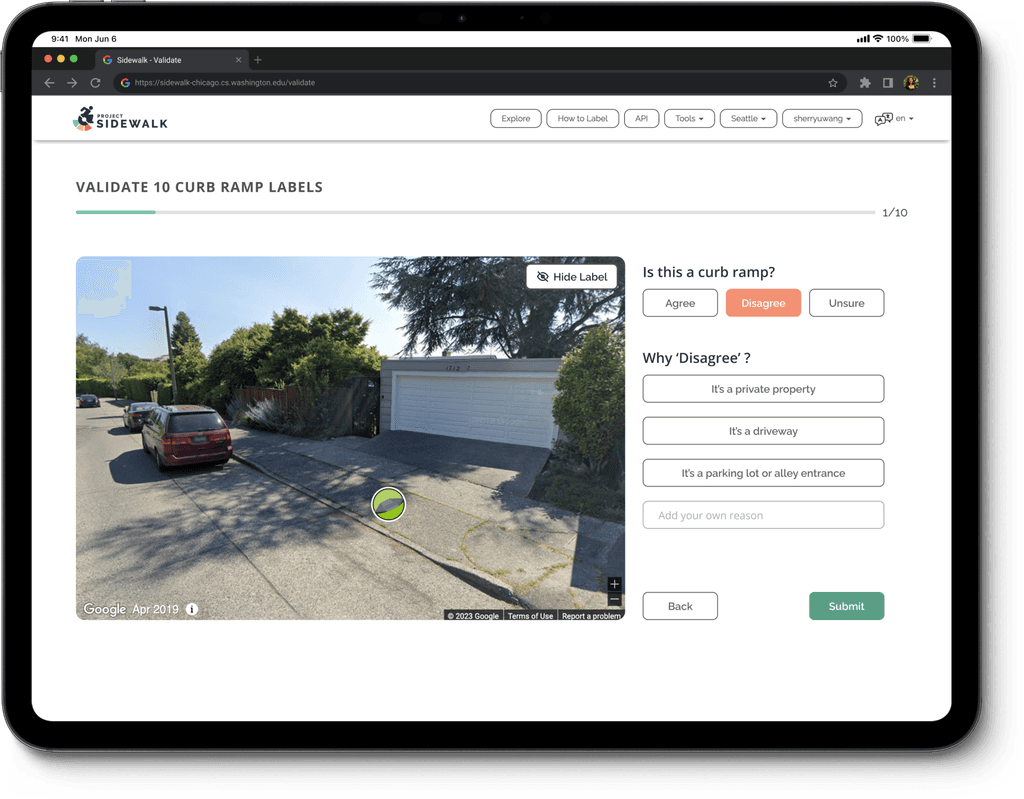
Incorporating
Accessibility
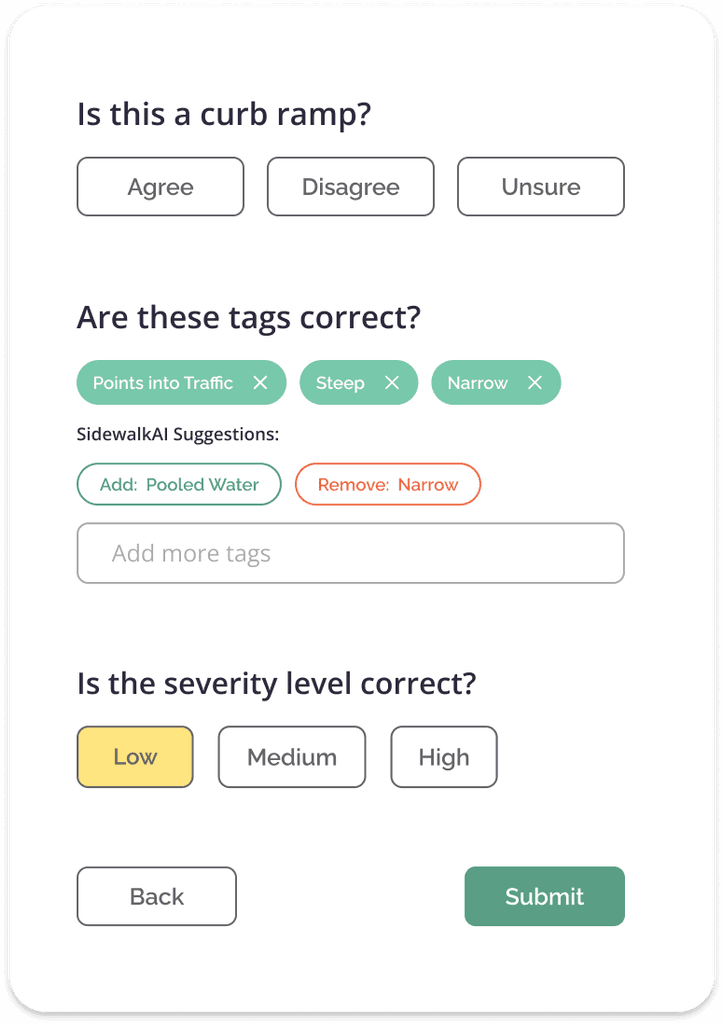
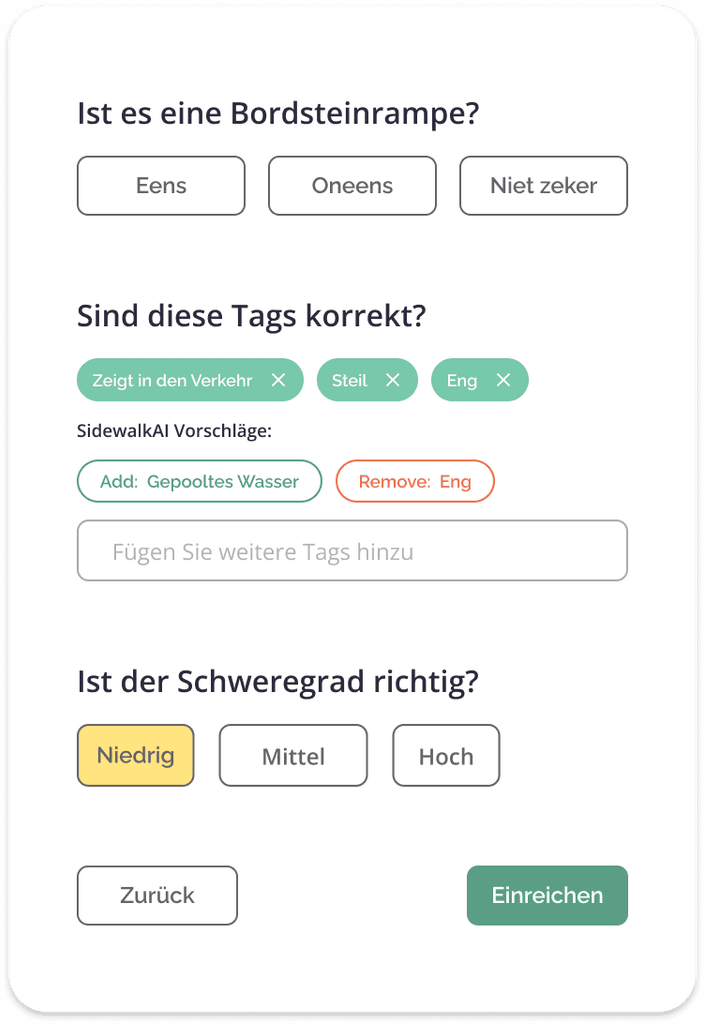
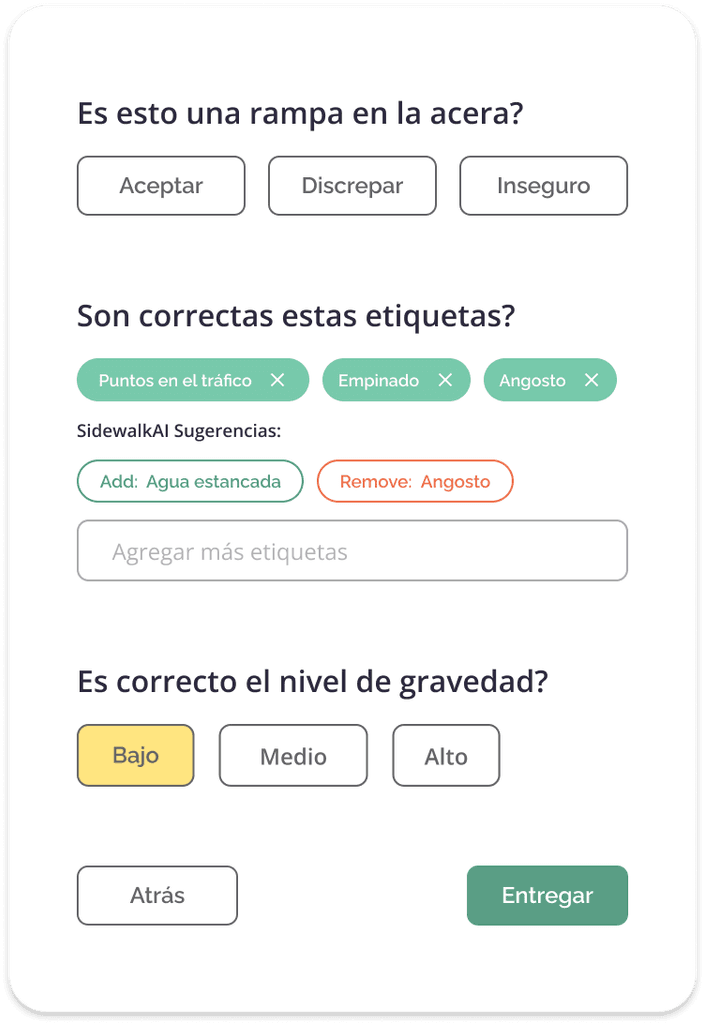
To address the language adaptability issue raised by the development team, I implemented design solutions that ensured the interface remained functional and visually appealing in various languages, preventing text overflow or truncation
As Project Sidewalk was deployed globally, ensuring accessibility across diverse linguistic regions was a critical priority
Responsive Design
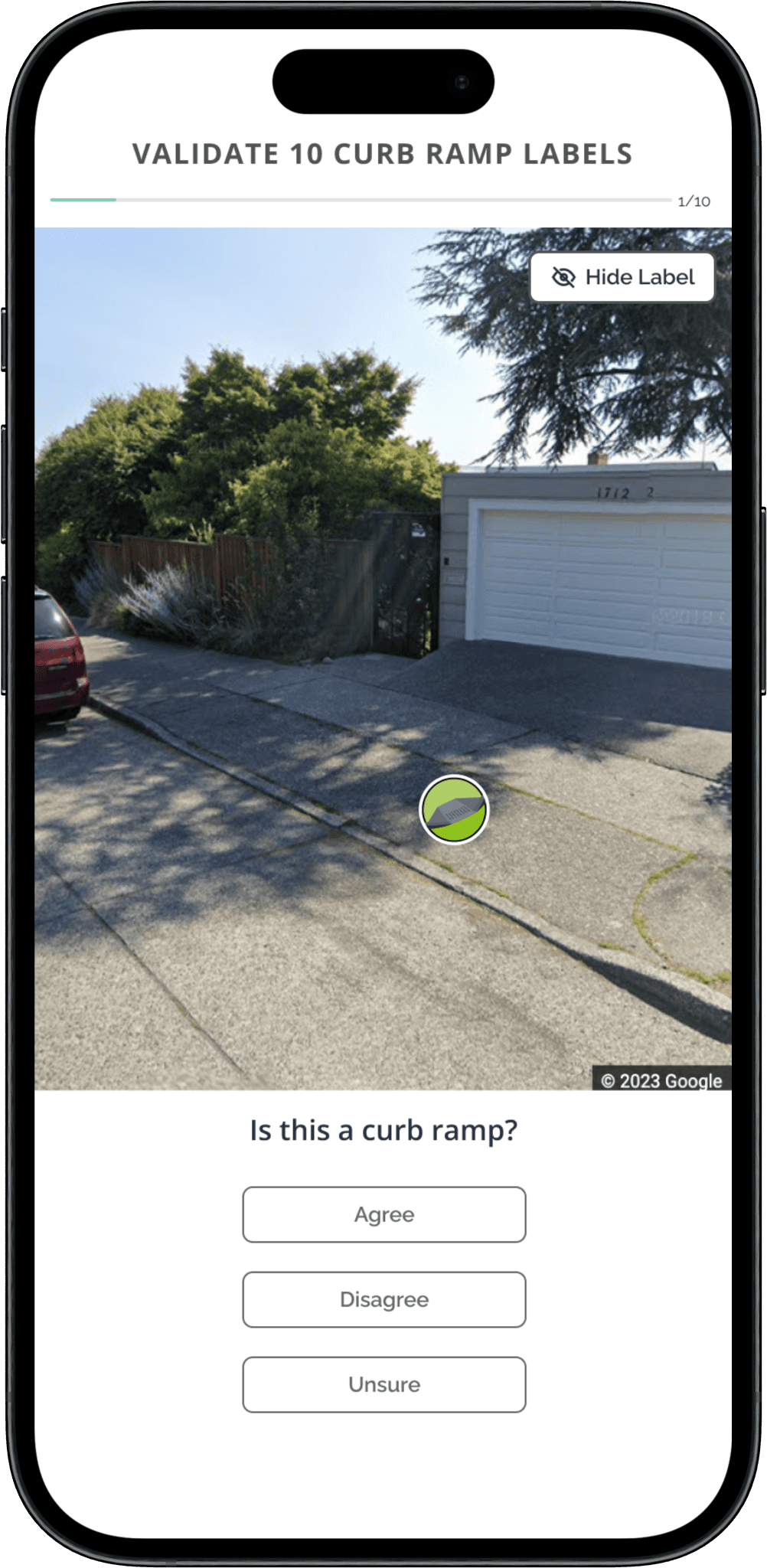
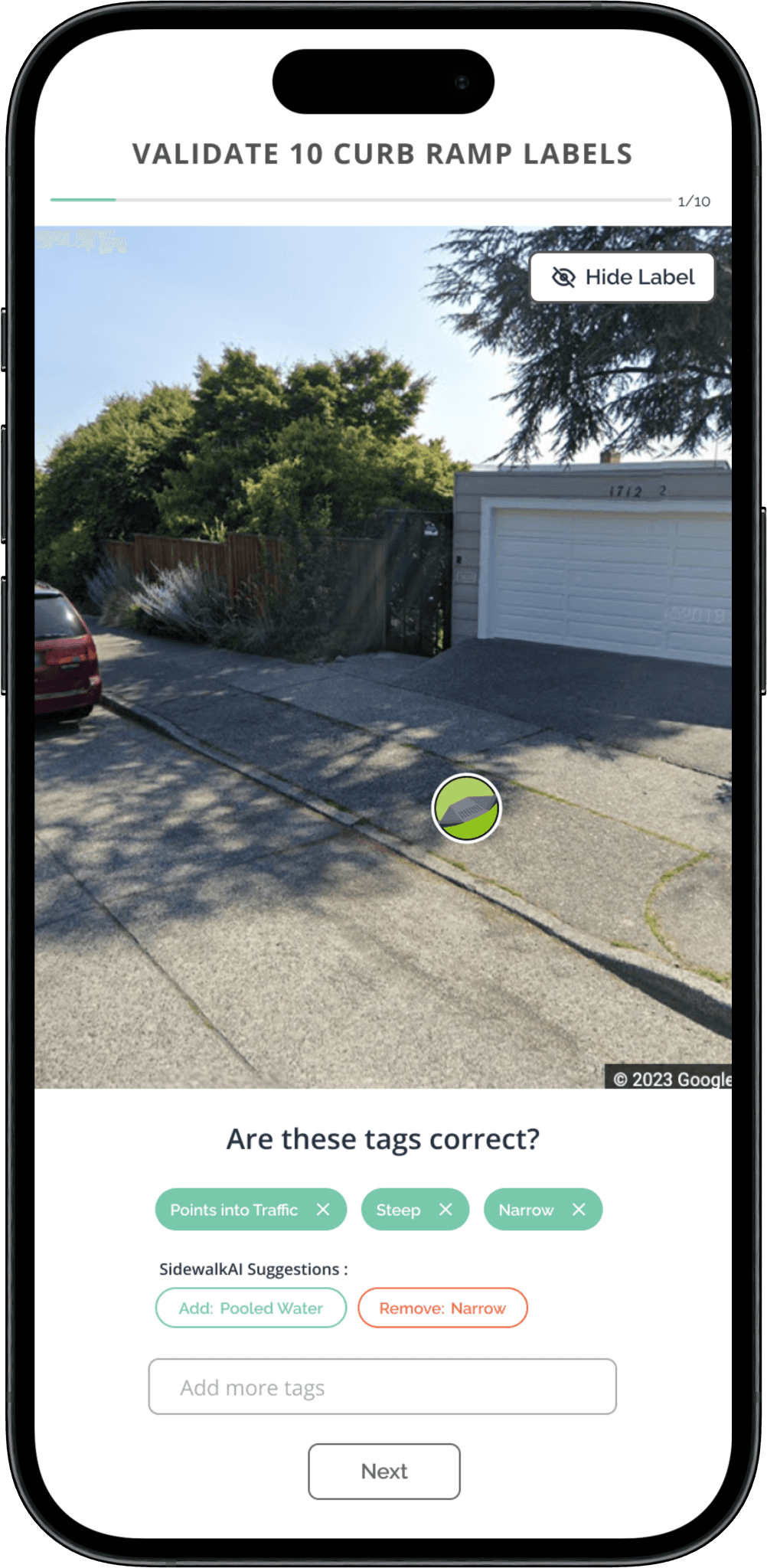
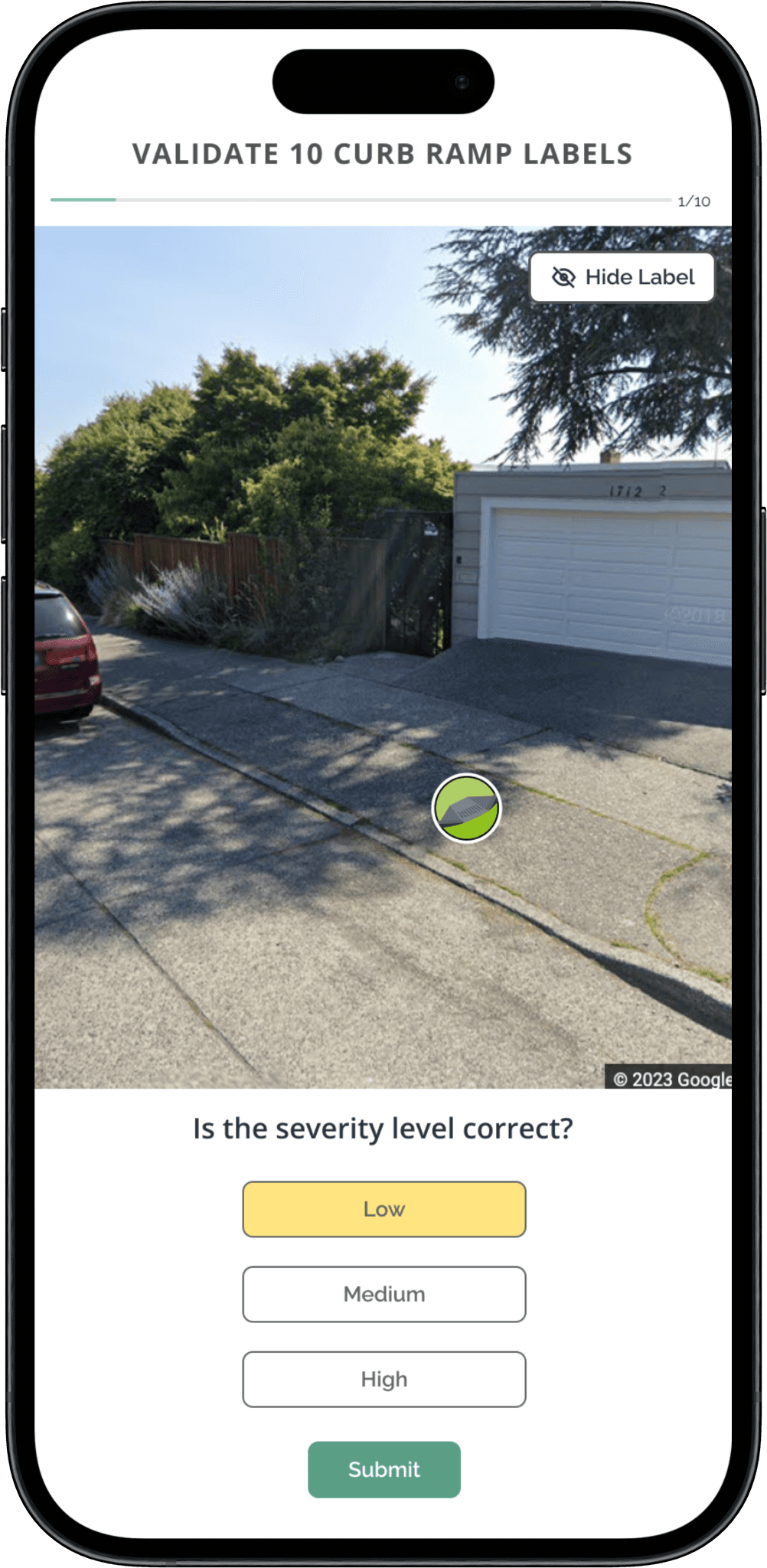
The scope of the project was extended midway to be able to make the design responsive for different screen sizes
It was important to consider the real estate on the mobile screen and translate the design well into a smaller screen
Impact
Within 3 months of launch of beta —
The integration of AI into the validation process has significantly improved accuracy, leading to more reliable and informative data
Achieved a substantial increase in the volume of high-quality data collected for validation purposes, expanding the dataset from 5,000 to 12,000
We successfully cut down the error rate, which in turn alleviated user frustrations and cultivated a more positive and enjoyable user experience
My Takeaways
This project showed me how crucial it is to collaborate closely with developers at every stage. By collaborating with them, I learned how to ensure that my design ideas were practical and simple to implement. This experience made me think about feasibility while designing.
01 Avoid a one-size-fits-all approach to projects. Each project has unique timelines and scopes, requiring tailored processes for optimal outcomes
02 Despite the client's goal of gathering high-quality validation data, conducting a concept evaluation with an MVP can provide valuable insights into user understanding of the design
03 Prioritizing accessibility early on expanded our market reach and improved the final product's quality