WATCHDOG
Helping intellectually disabled users
detect and monitor their epilepsy
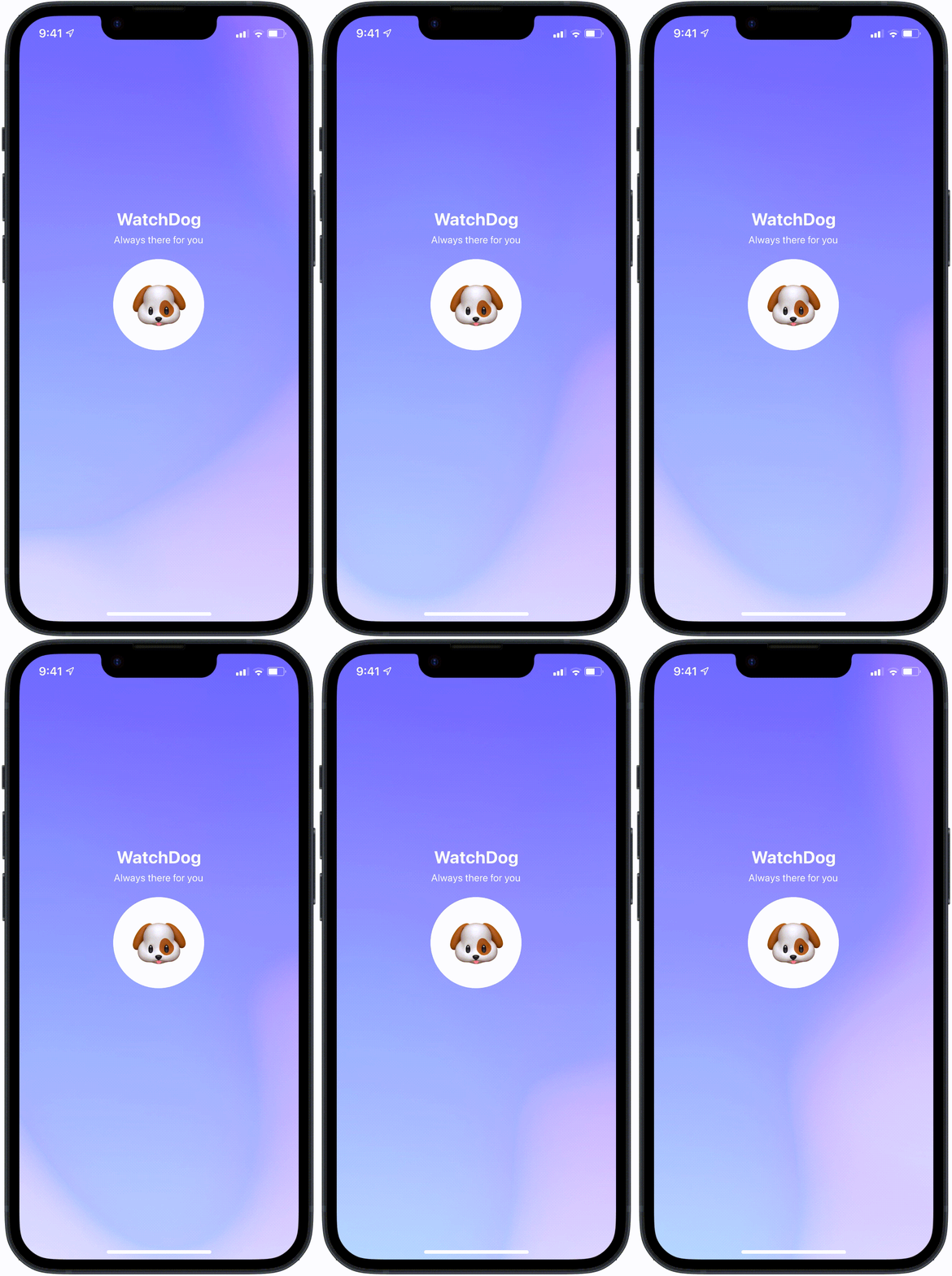
Named as a nod to seizure alert dogs, WatchDog is there to watch over individuals with epilepsy. Using cross-referential technology, WatchDog allows users to pair our app from their phone to their Apple Watch, providing educational resources, monitoring care, medical reminders, and seizure alert detection between the two systems.
Metrics
As a result of my design iterations and implementations, we noticed the following performance increases:
20%
improvement in reading times
73%
in alert walkthrough speed
44%
in retention for educational screens
Problem
Seizure alert apps, but only for the able-bodied
Approximately 20% of people with epilepsy are users with an intellectual disability. However, the majority of epilepsy-based products such as seizure alert watches and monitoring apps cater to adults without ID.
"How can we help intellectually disabled children with epilepsy become more independent in their self-care?"
Solution
Accessibility is key
Watchdog is an app that helps intellectually disabled users with epilepsy manage their condition by monitoring and teaching users necessary seizure prevention tasks.
The application is also paired with a seizure alert watch, which alerts parents (and emergency staff) whenever seizures occur and documents relevant medical information.
With WatchDog, Users Can:
Detect Seizures
Process Medical Summaries
Engage in Educational Play
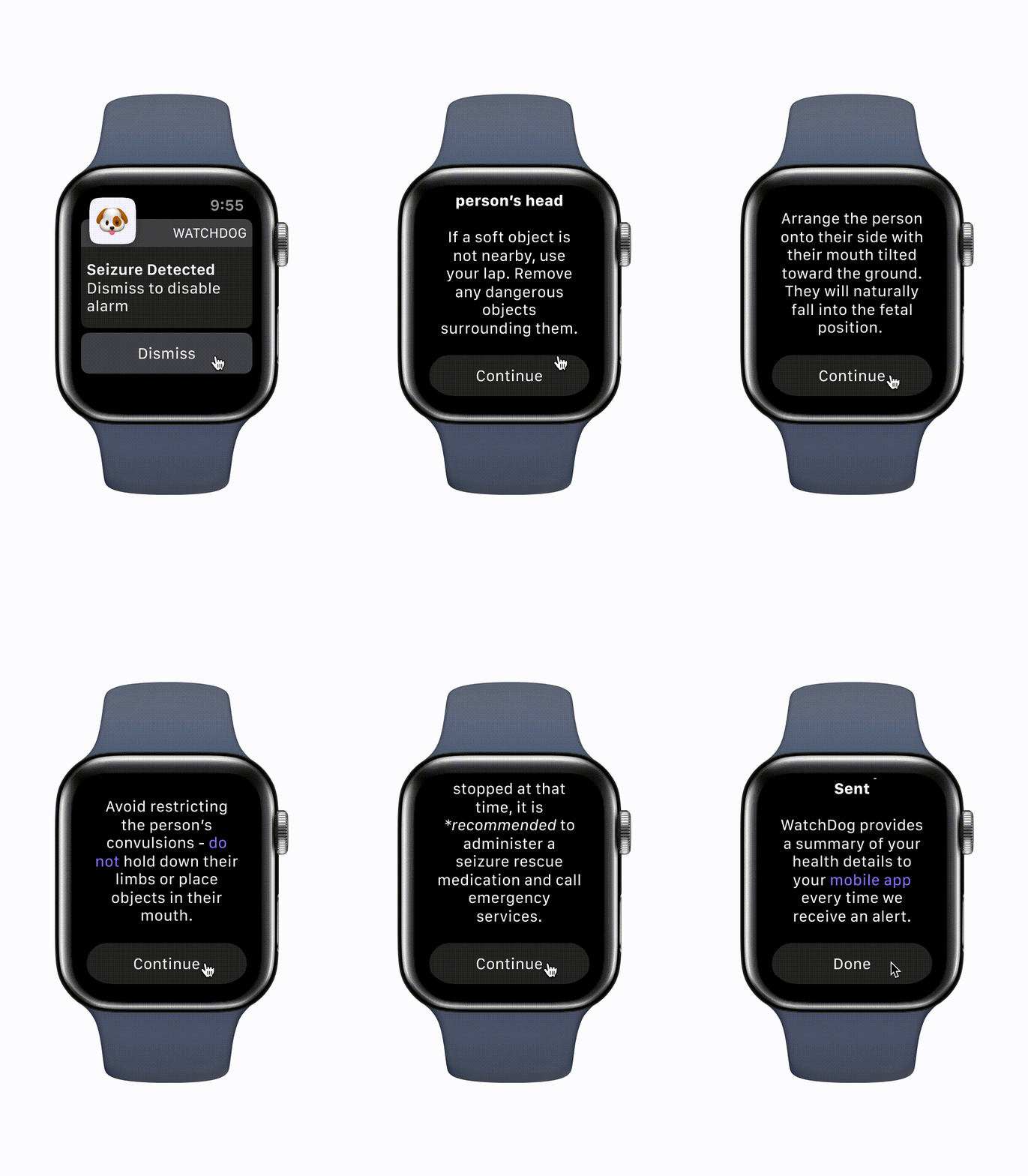
Run Emergency Walkthroughs
White Paper Research
There are many standard health practices that help epileptic users manage and monitor their seizures, such as
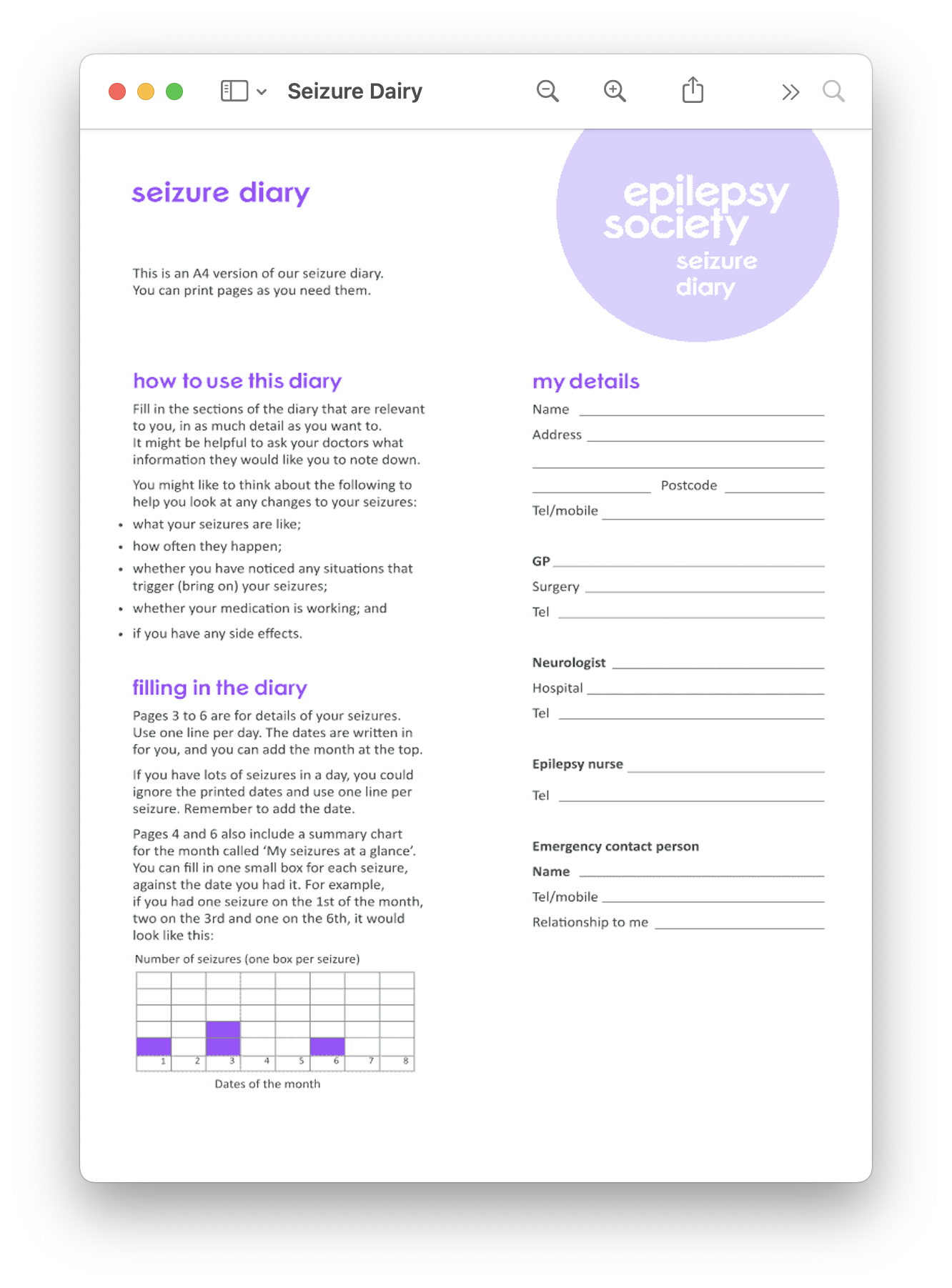
01 Seizure diaries
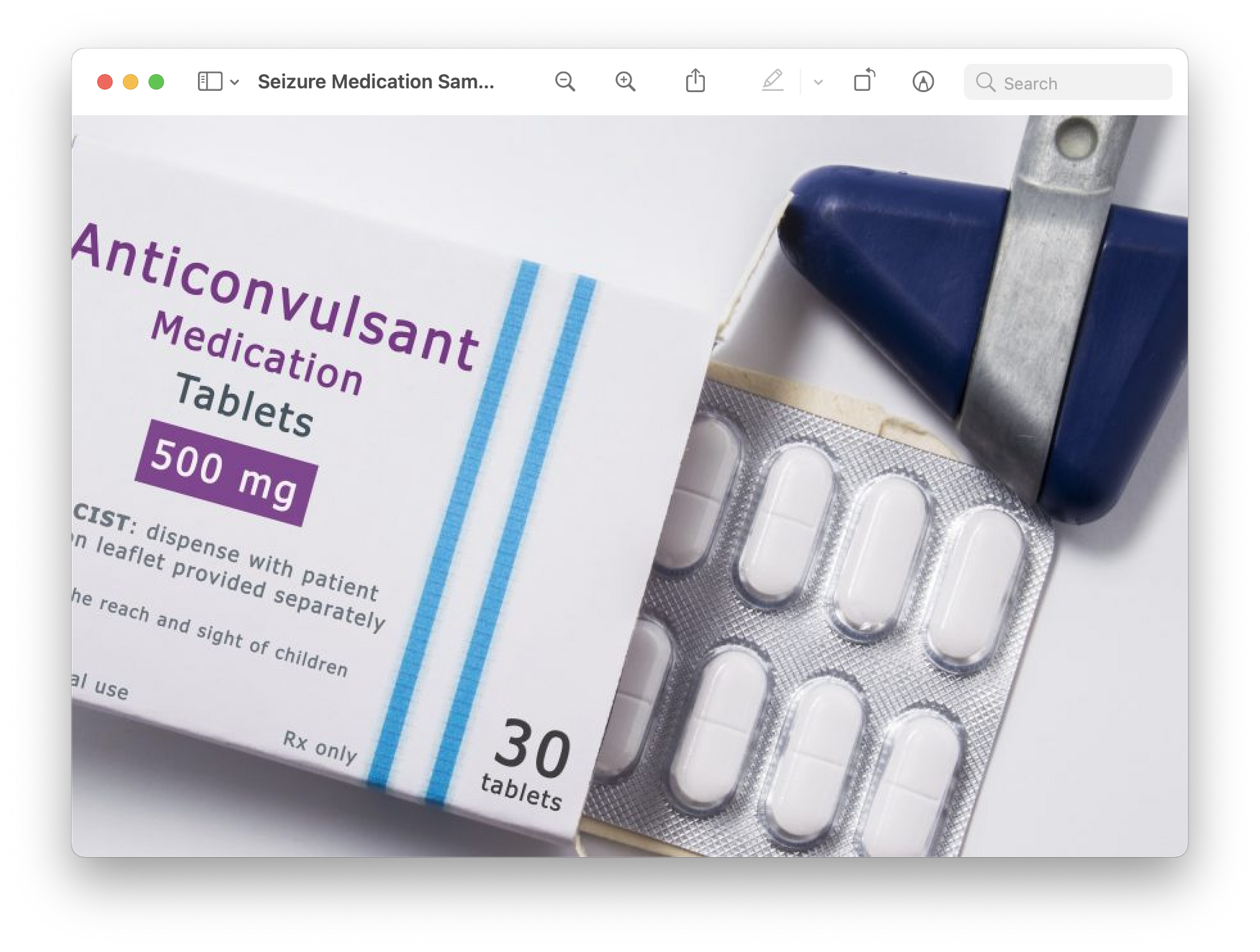
02 Medication
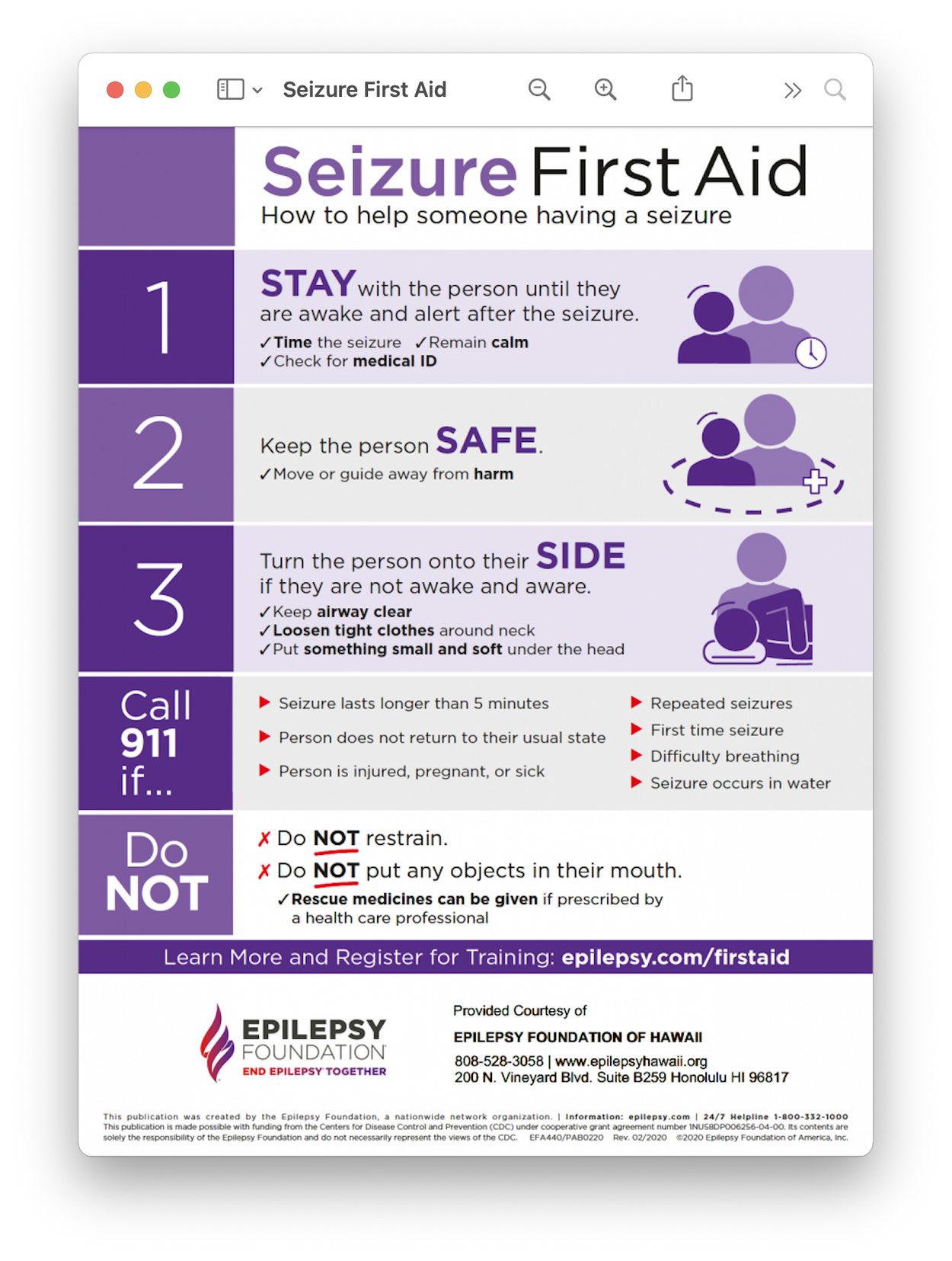
03 Seizure aid practices
What technological challenges do epileptic individuals face?
Two Interviews
Were conducted with parents of epileptic ID children to get a better understanding of their struggles
Questions pertained to the child's skill level and ways to overcome any intellectual boundaries.
Accessability was made a priority, specifically Overall, flows are kept as similar as possible for both devices, so learning how to use one product unlocks understanding of the other.
Findings
Seizure applications are often inaccessible to ID epileptic users, due to three main accessability issues
Pain points
01
READING 📖
02
TYPING ⌨️
03
COMPREHENSION 🧠
Proposed solutions
"[My child] can read basic words, but not full sentences."
"Most of their [intellectually disabled] classmates also know how to type, but it takes them a while."
"She can figure out how to use most kid's apps, but has trouble understanding the medical stuff.
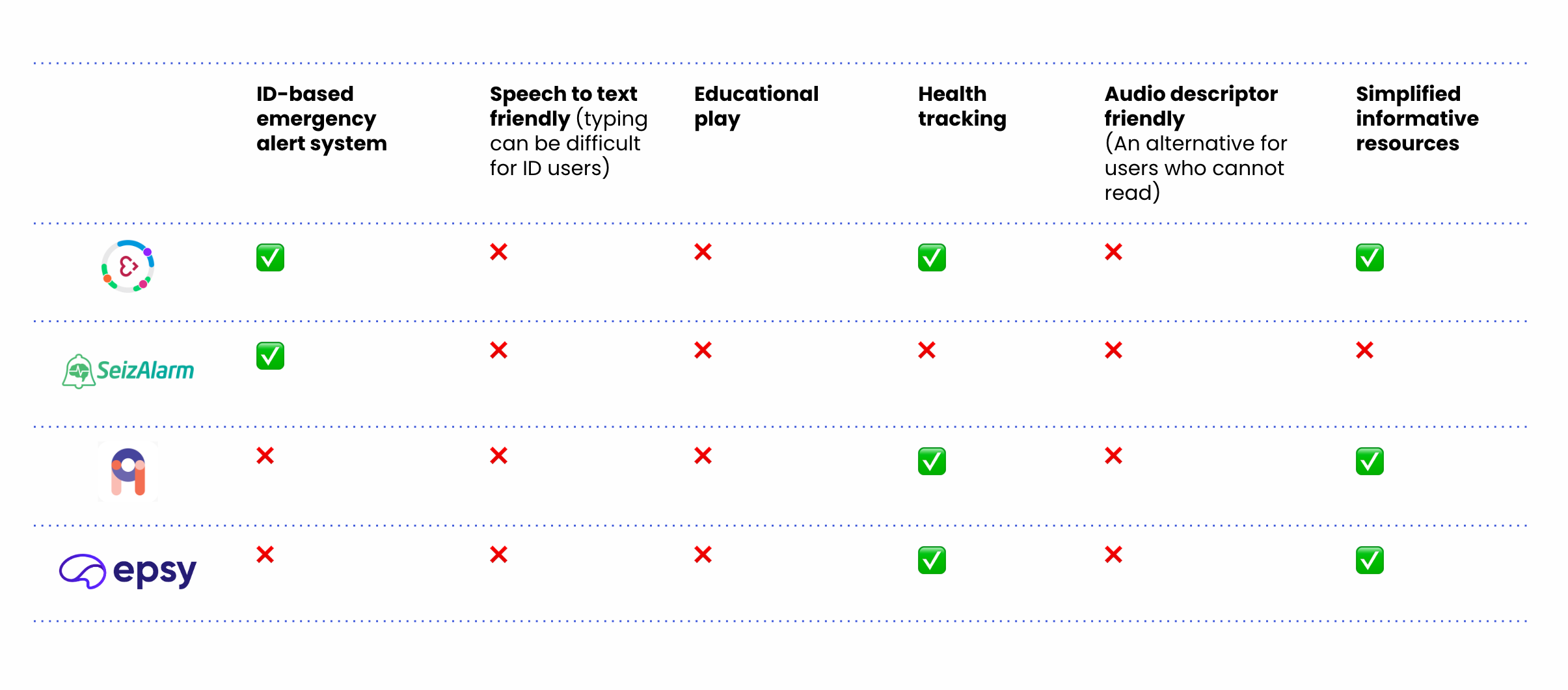
Competitive Analysis
Few apps account for how epileptic treatment can differ for ID patients
Digital Architecture
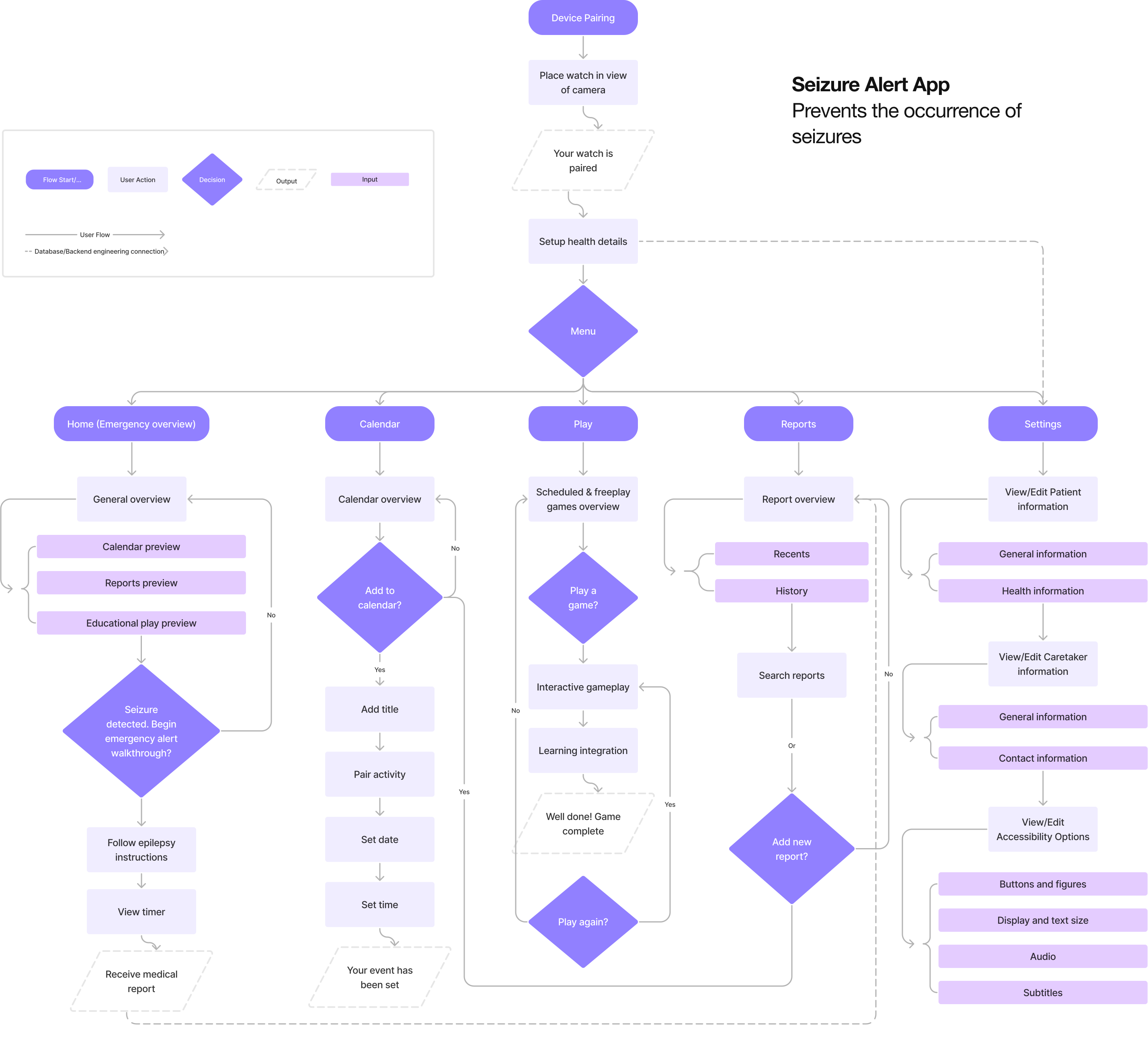
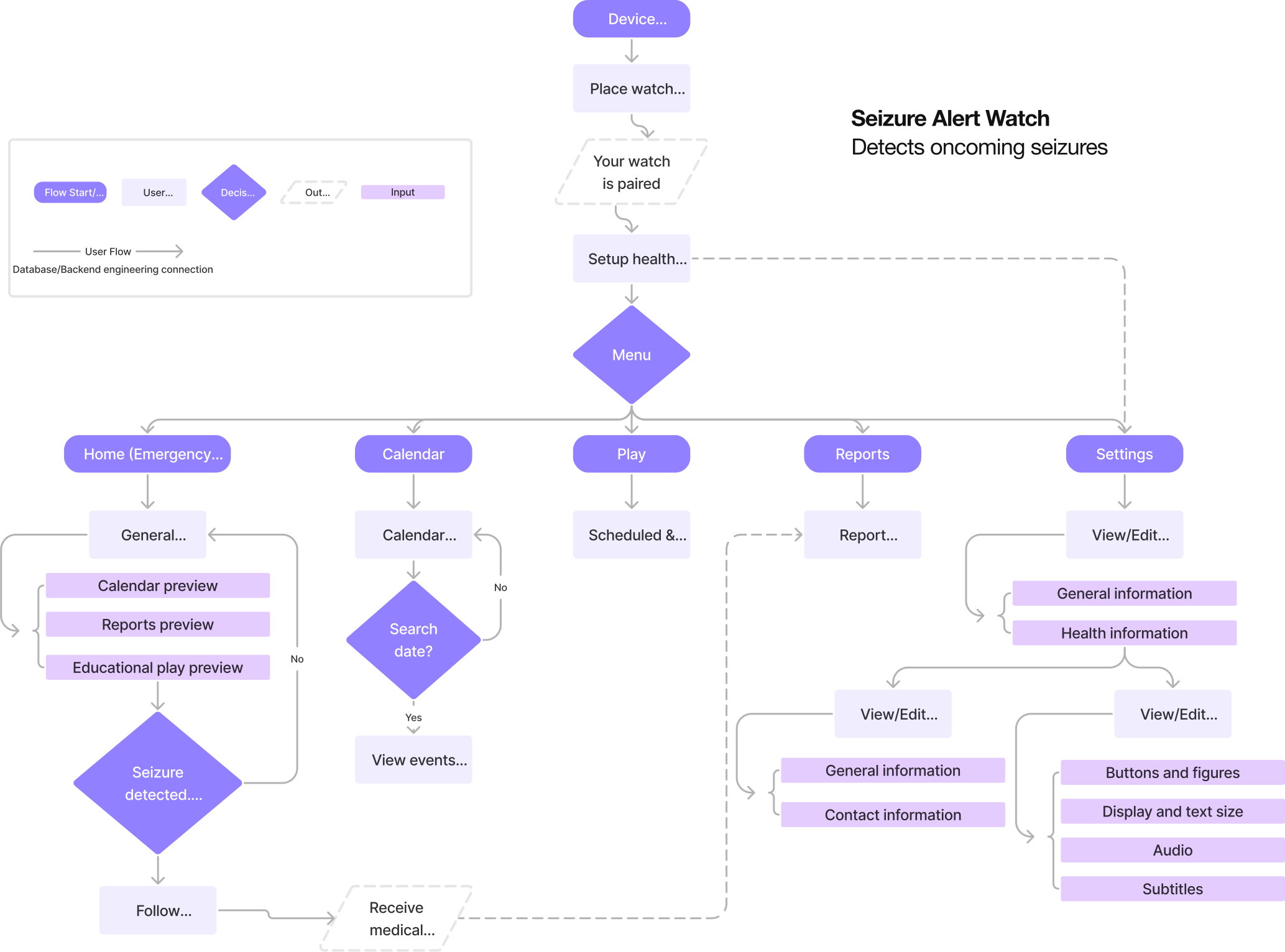
Information Architecture
Taking into account formative connections between our watch and app
Device pairing and emergency walkthroughs were kept most similar for flows across watch and app screens, due to their overlapping nature. Particular focus was given to these screens, as they involved actions users were unfamiliar with (such as device pairing and seizure alert walkthroughs), which required immediate understanding upon viewing due to their serious nature.
Synchronizing the architectural flows of our watch and app screens allowed for a more seamless, 1:1 transition.
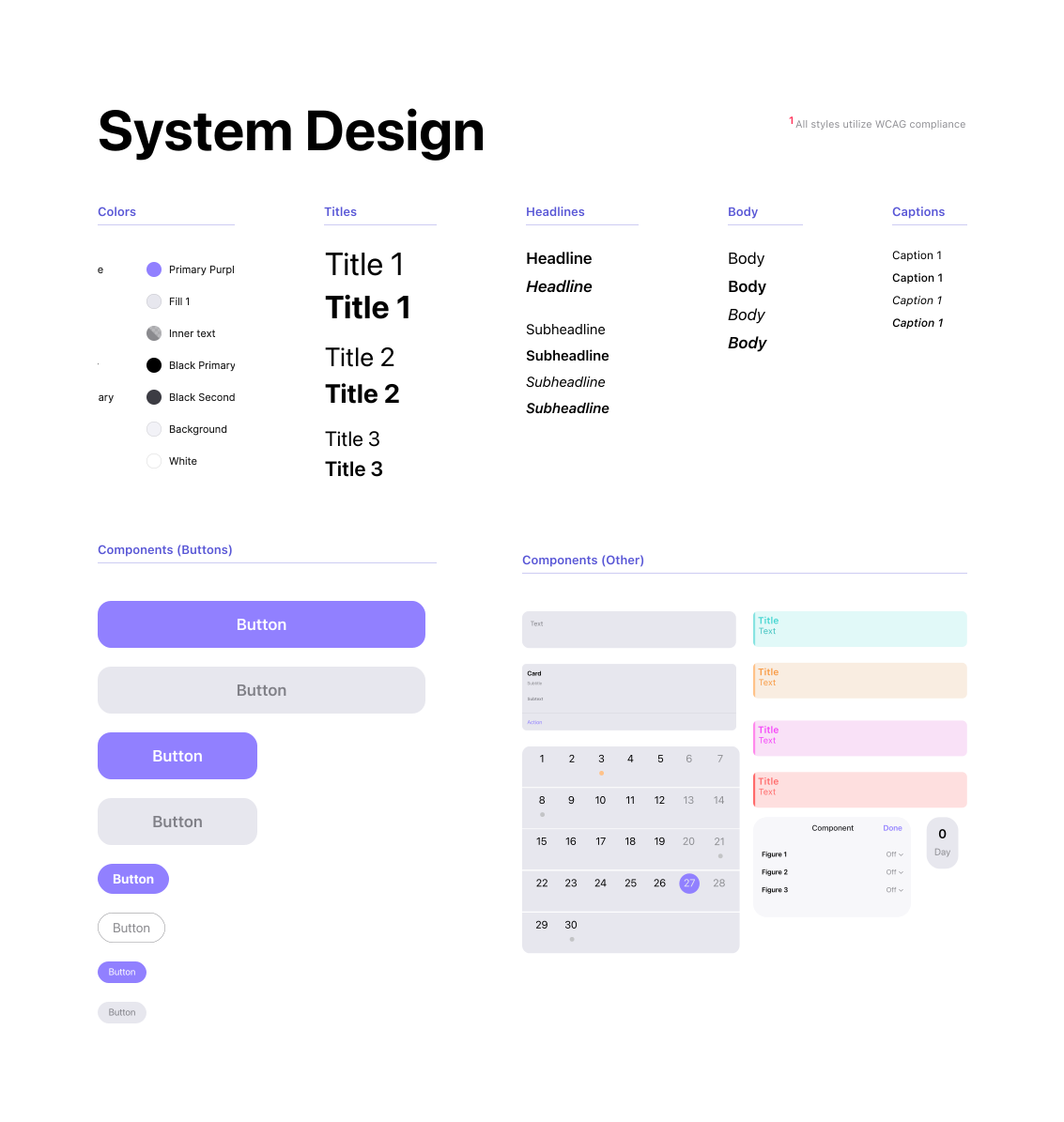
System Design
UI
WCAG compliant typography, colors, and components
With the addition of settings that allow users to change typography size to suit their personal preference.
Accessability was made a priority, with all system design following WCAG compliance.
Testing Feedback
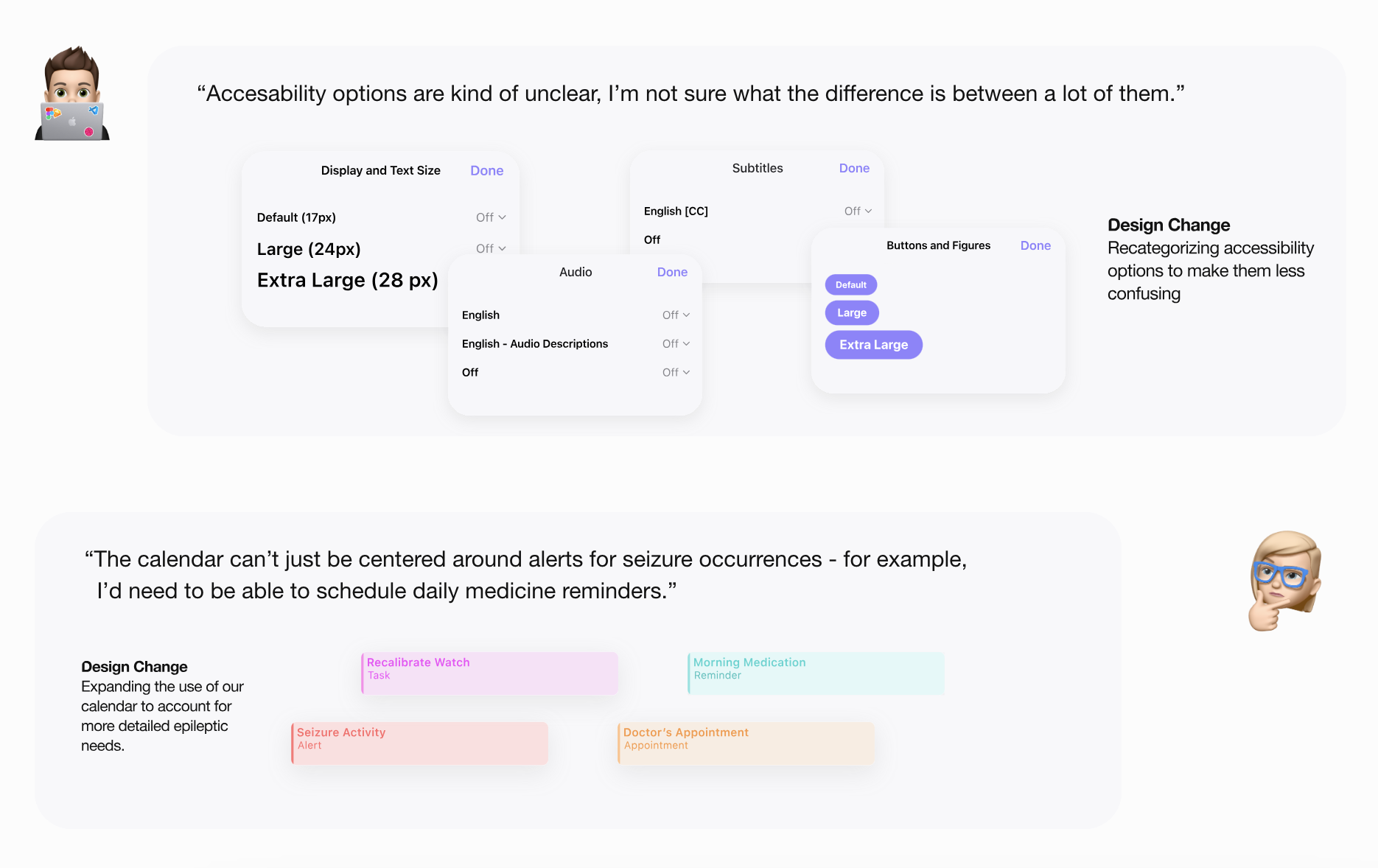
Participant walkthroughs of the early prototype resulted in key changes
WATCHDOG
How it works
Epileptic care for intellectually disabled patients
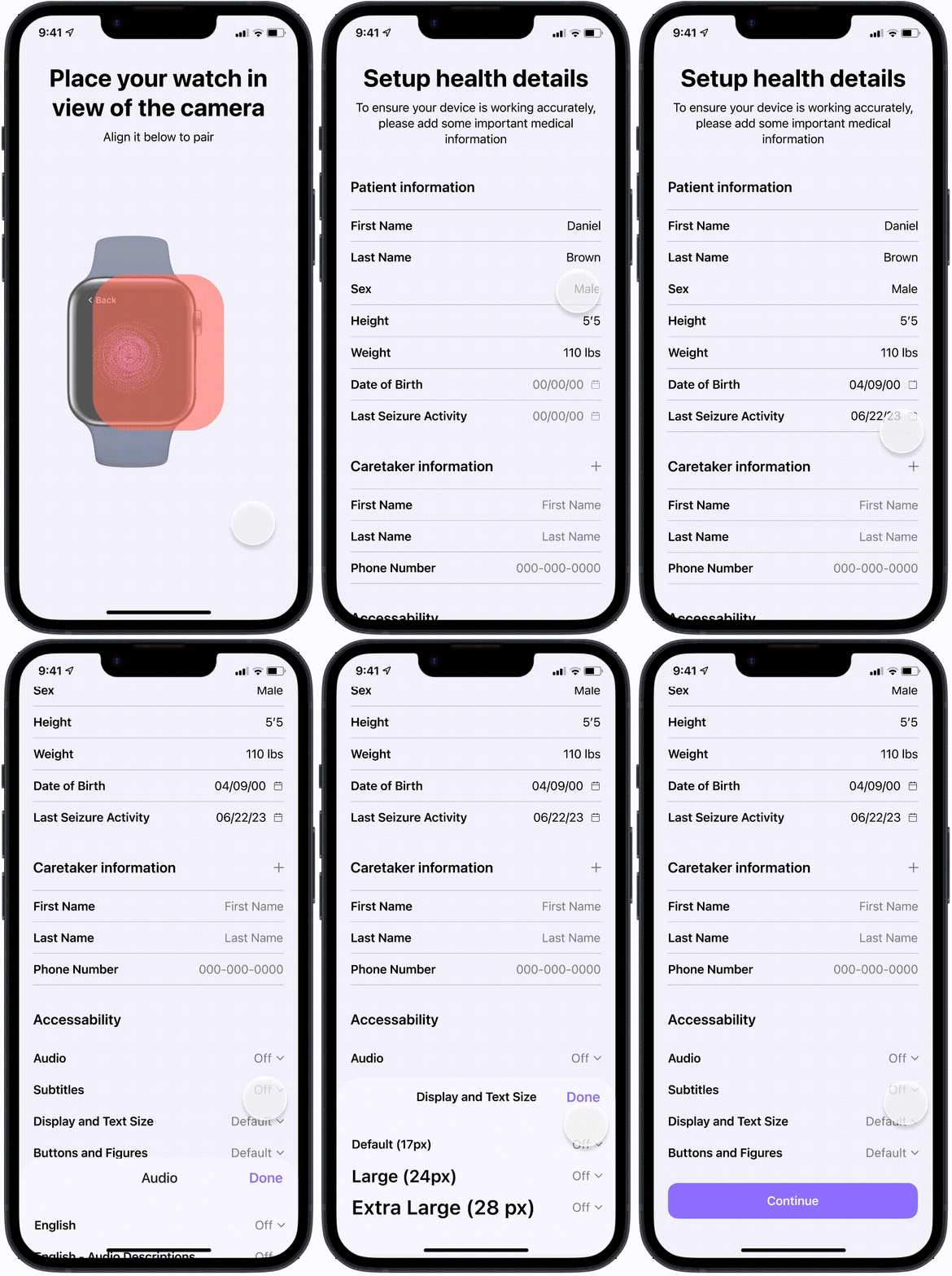
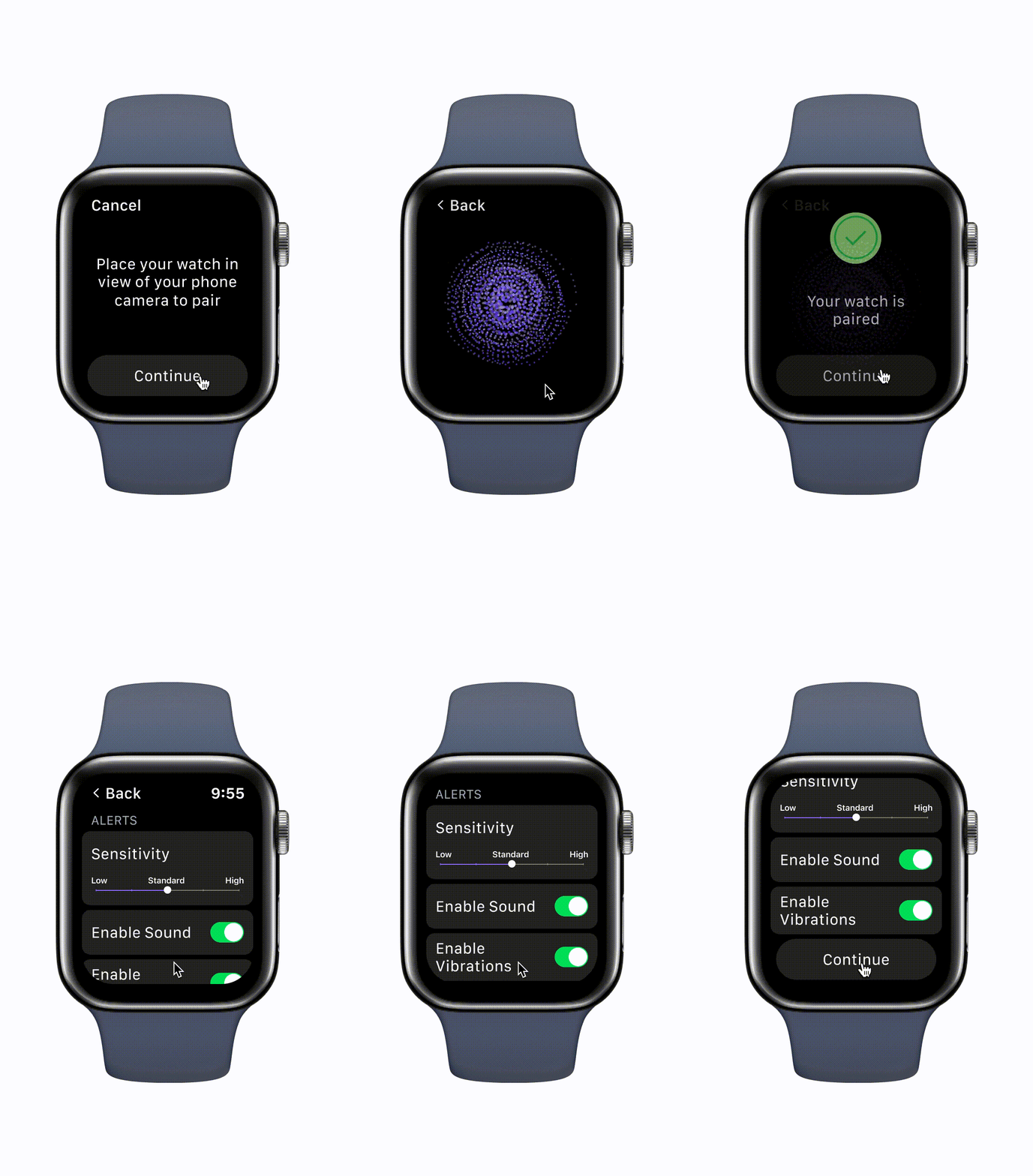
Onboarding
Caretakers pair the app with their child's seizure alert watch and input medical details
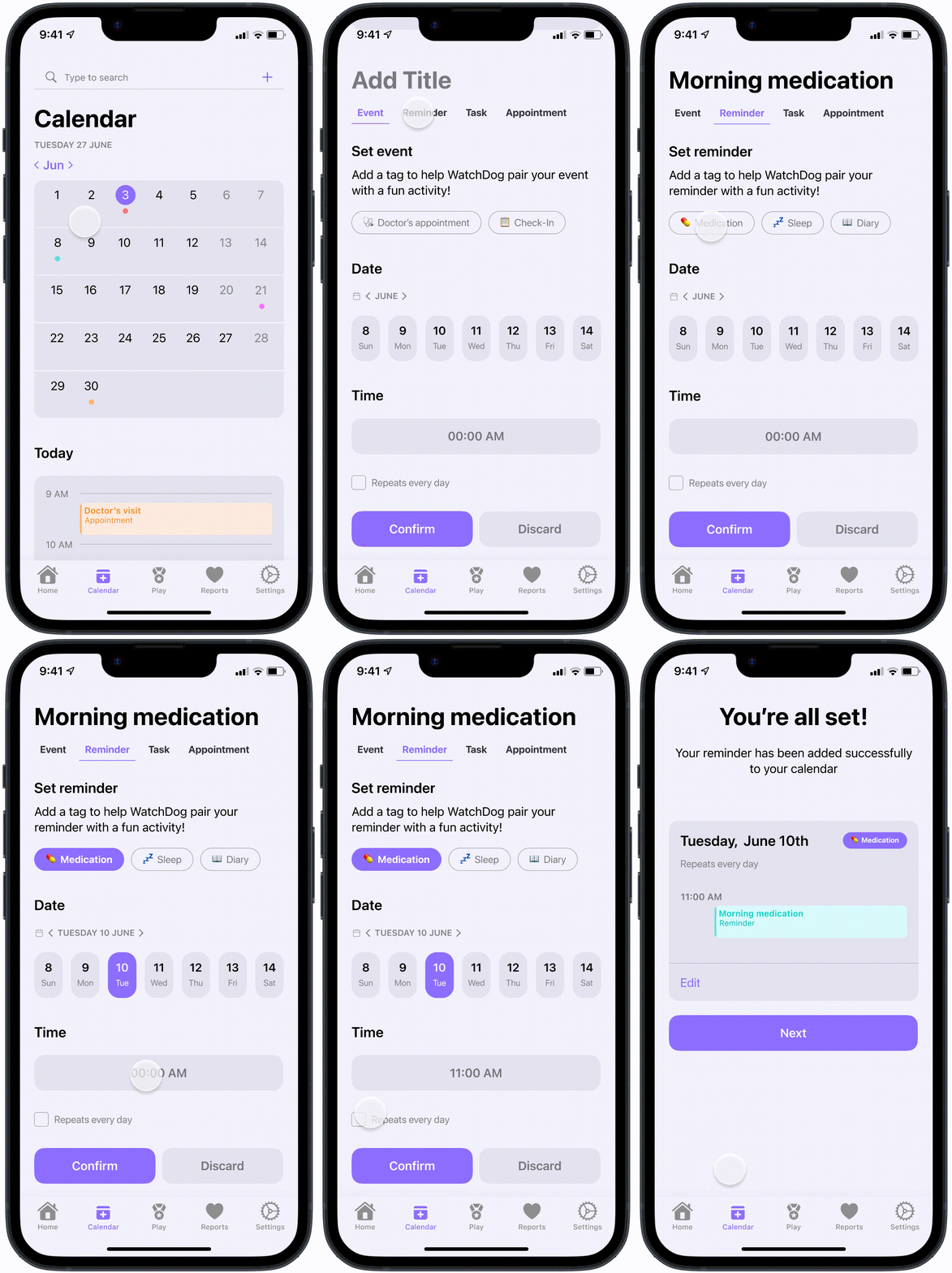
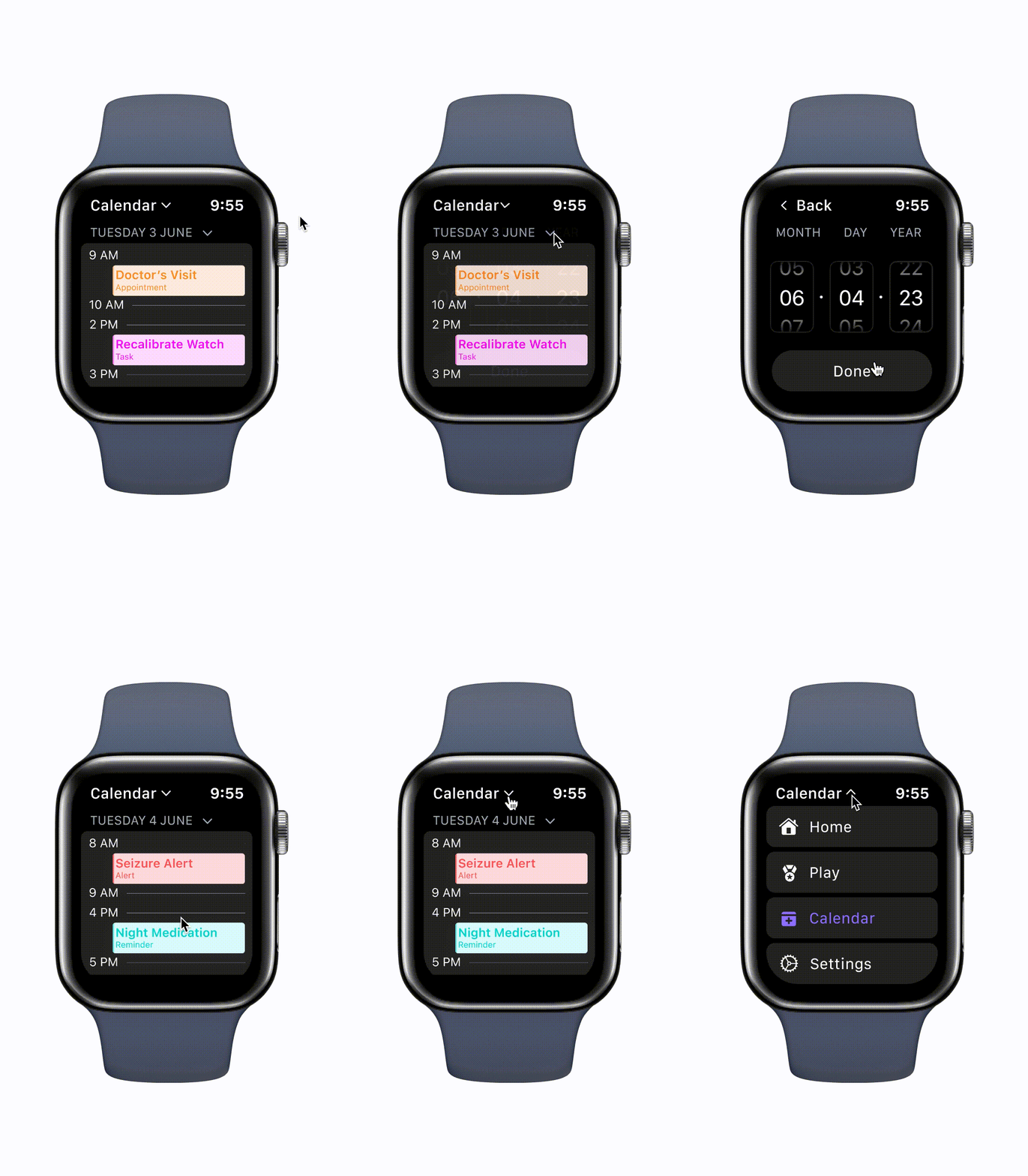
Preventative Care
Through WatchDog, users can create medical reminders that pair with relevant educational games for their child
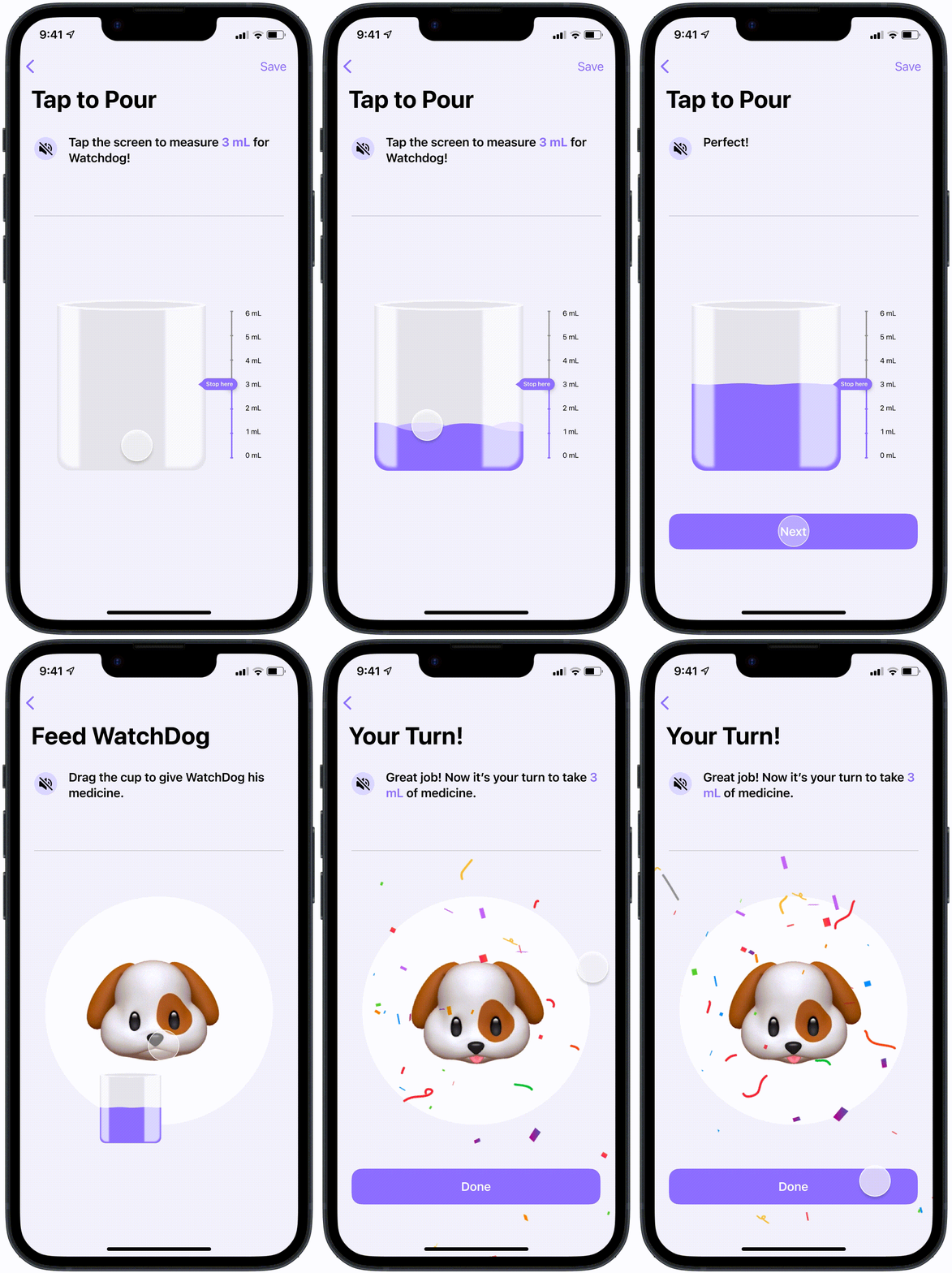
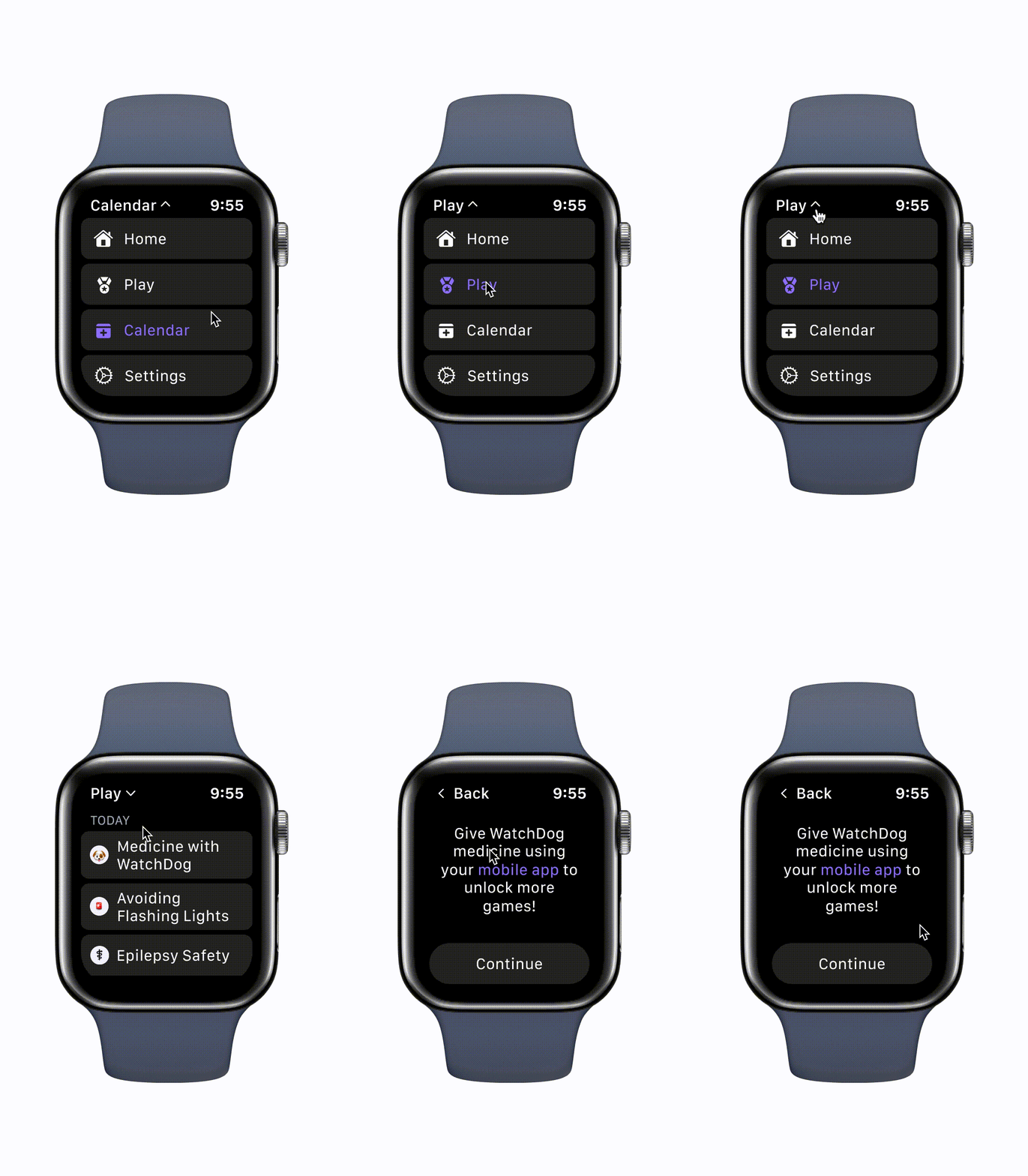
Educational Play
ID users learn skills to better manage and understand their epilepsy through play
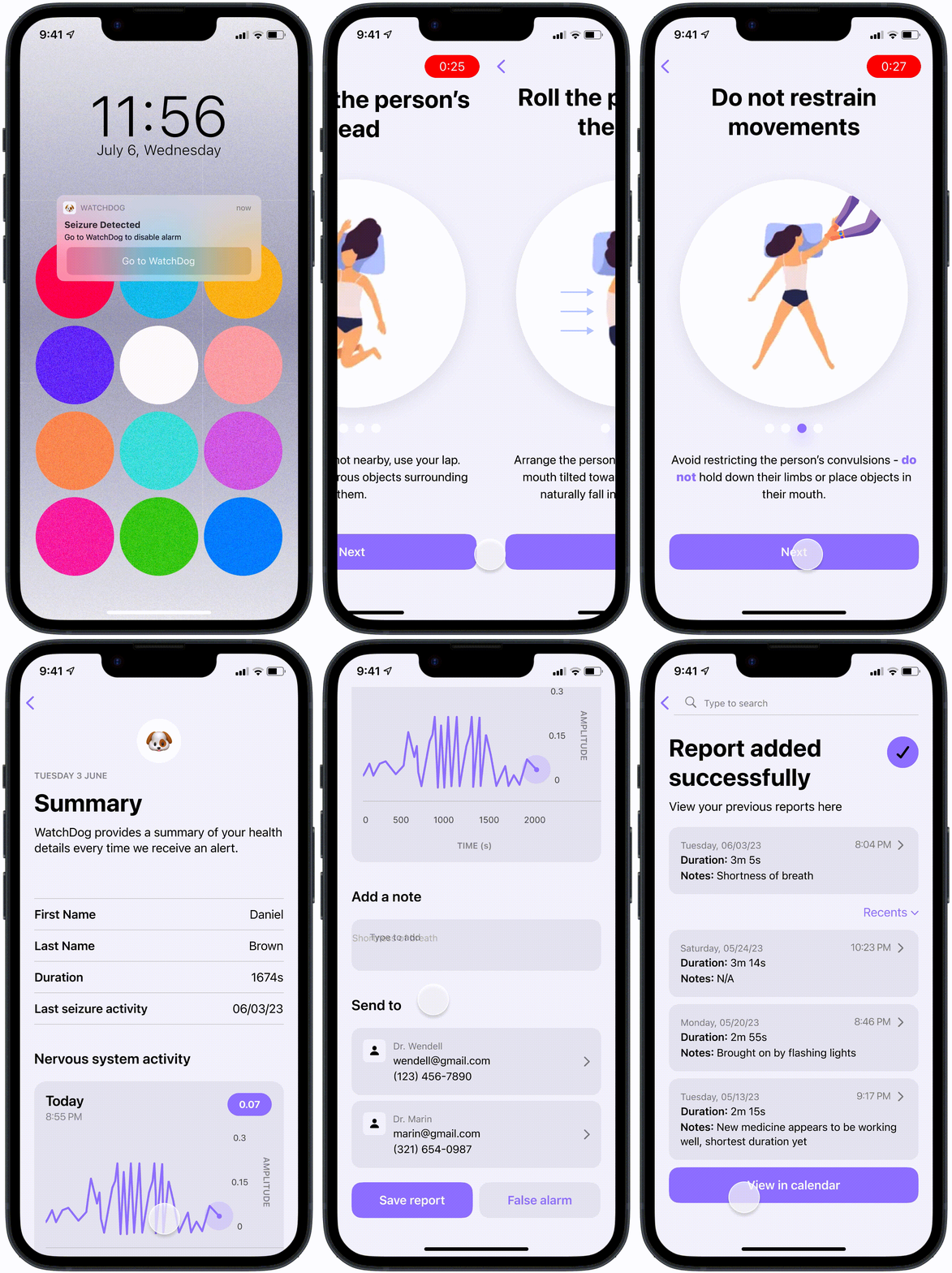
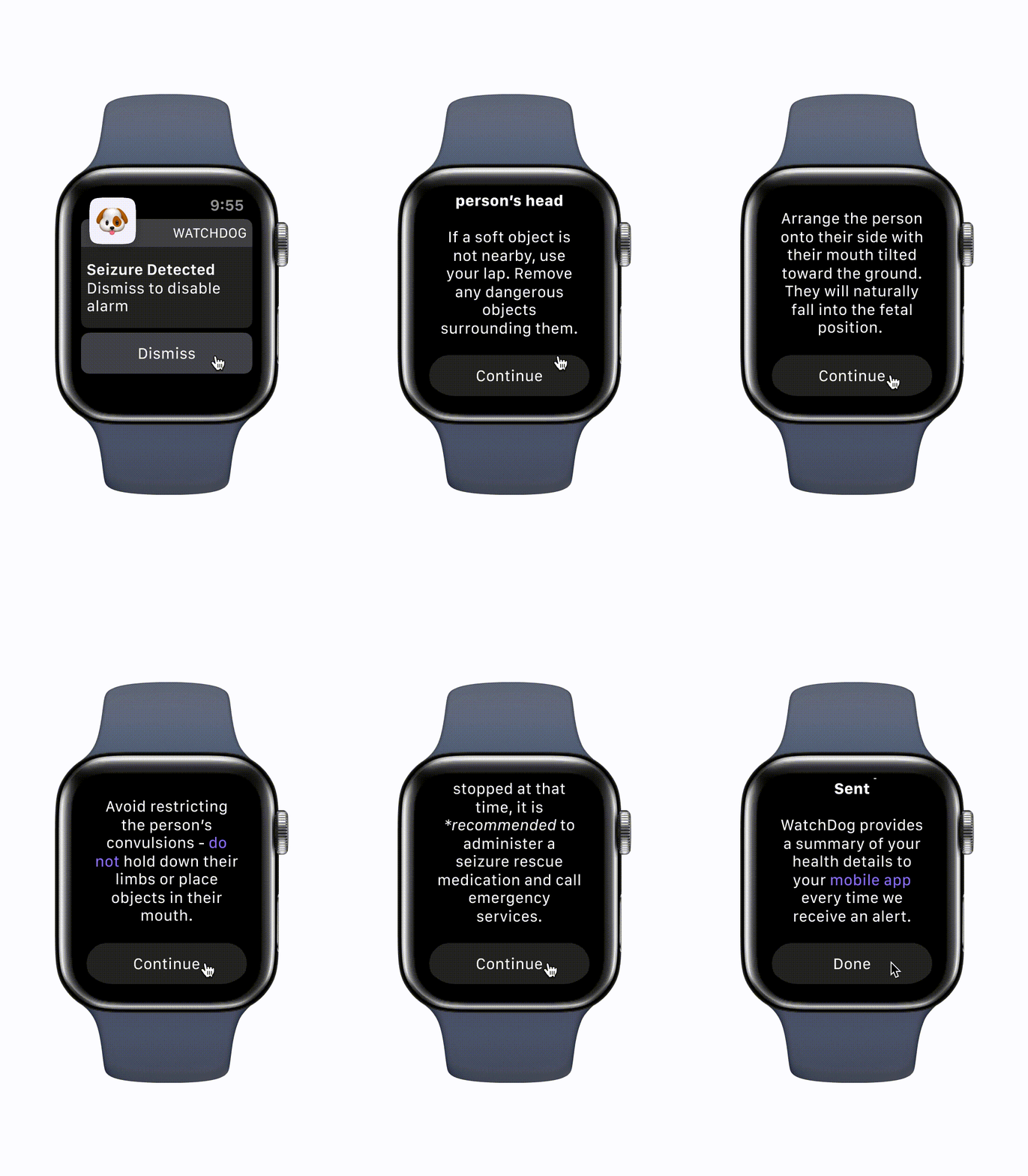
Emergency Detection
If a seizure is occuring, WatchDog will send an alert to the child's caretaker and begin an emergency walkthrough
Bonus Engineering
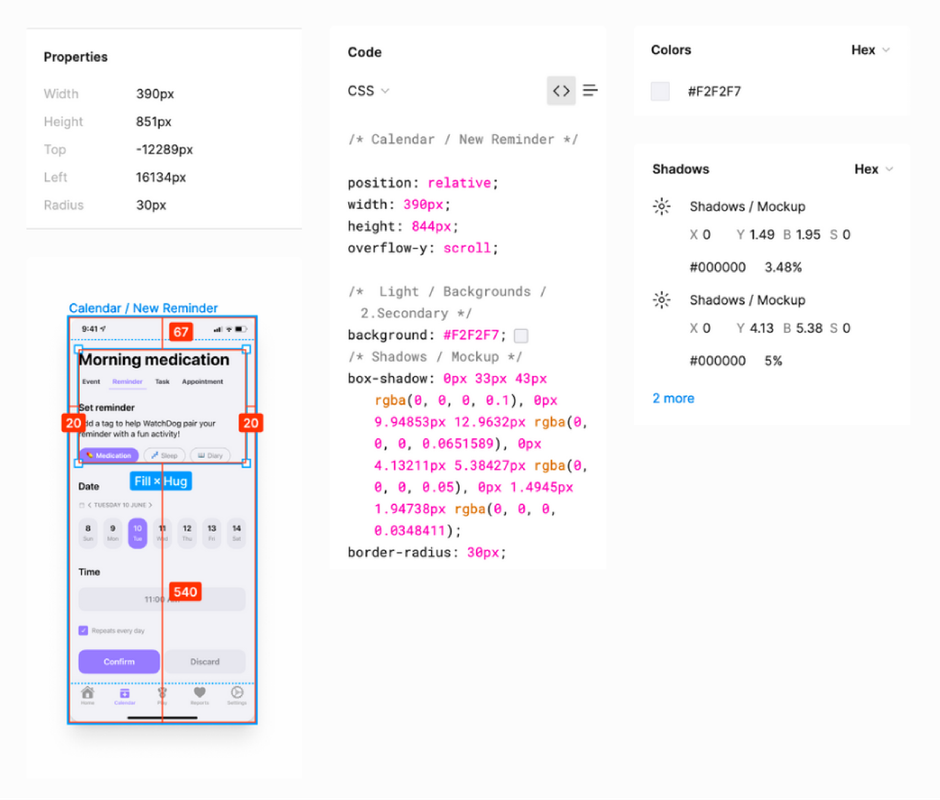
Figma goodness & considerations for engineering handoffs
Takeaways
Design Impact
20%
improvement in reading times
73%
in alert walkthrough speed
44%
in retention for educational screens
Common Q's
Zerin believes in keeping tech design accessable and transparent, so if you have any questions just send an email and she'll be sure to get back to you and add resources to her docs!
Explore More Projects
Discover other innovative solutions and design challenges I've tackled